---
title: How do I change or reset my password?
description: Sortly makes it easy to update your password.
---
[Skip to content](https://help.sortly.com/how-do-i-change-or-reset-my-password#main-content)

Open main navigation
Close main navigation
Looking for answers? Start here.
- There are no suggestions because the search field is empty.
1. [Sortly Help Center](https://help.sortly.com/?hsLang=en)
2. [FAQs](https://help.sortly.com/faqs?hsLang=en)
3. [FAQ](https://help.sortly.com/faqs?hsLang=en#faq)
# How do I change or reset my password?
## Sortly makes it easy to update your password.
Sortly makes it easy to update your password. Follow the steps below to change your password through your Sortly account, or reset it if you've forgotten it.
In this article
1. [Change Password](https://help.sortly.com/how-do-i-change-or-reset-my-password#change-password)
2. [Forgot Password](https://help.sortly.com/how-do-i-change-or-reset-my-password#forgot-password)
3. [Frequently Asked Questions](https://help.sortly.com/how-do-i-change-or-reset-my-password#faq)
### Change Password
1. 1**Log in to Sortly**
Log in to your Sortly dashboard at [app.sortly.com](https://app.sortly.com/login).
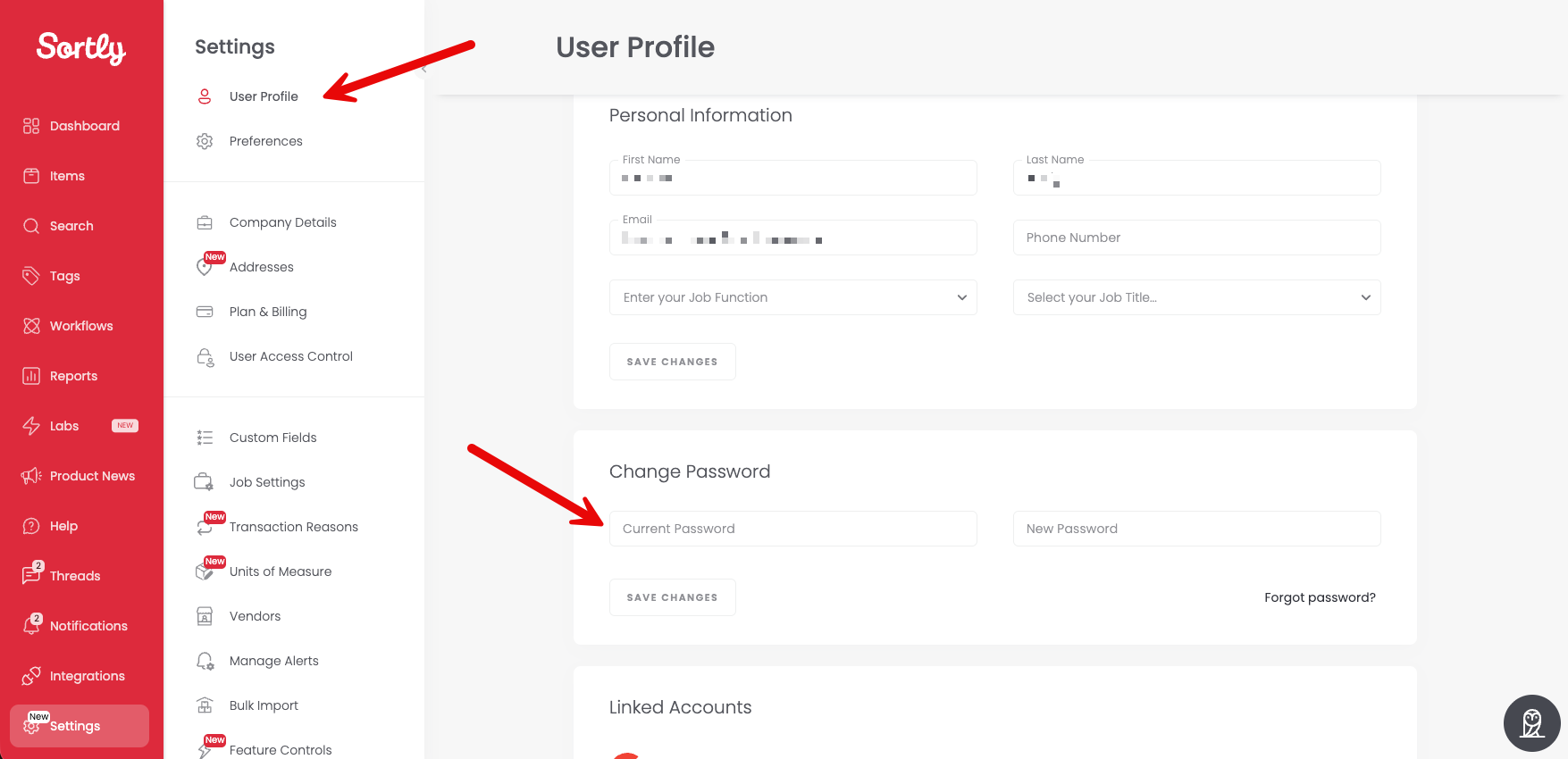
2. 2**Open Settings**
Click the Settings panel.
3. 3**Open User Profile**
Click [User Profile](https://app.sortly.com/user-profile).
4. 4**Enter your new password**
In the Change Password section, fill out your current and new password.
5. 5**Save your changes**
Click Save Changes to confirm.
---
### Forgot Password
If you don't remember your current password, you can [reset it here](https://app.sortly.com/reset-password).
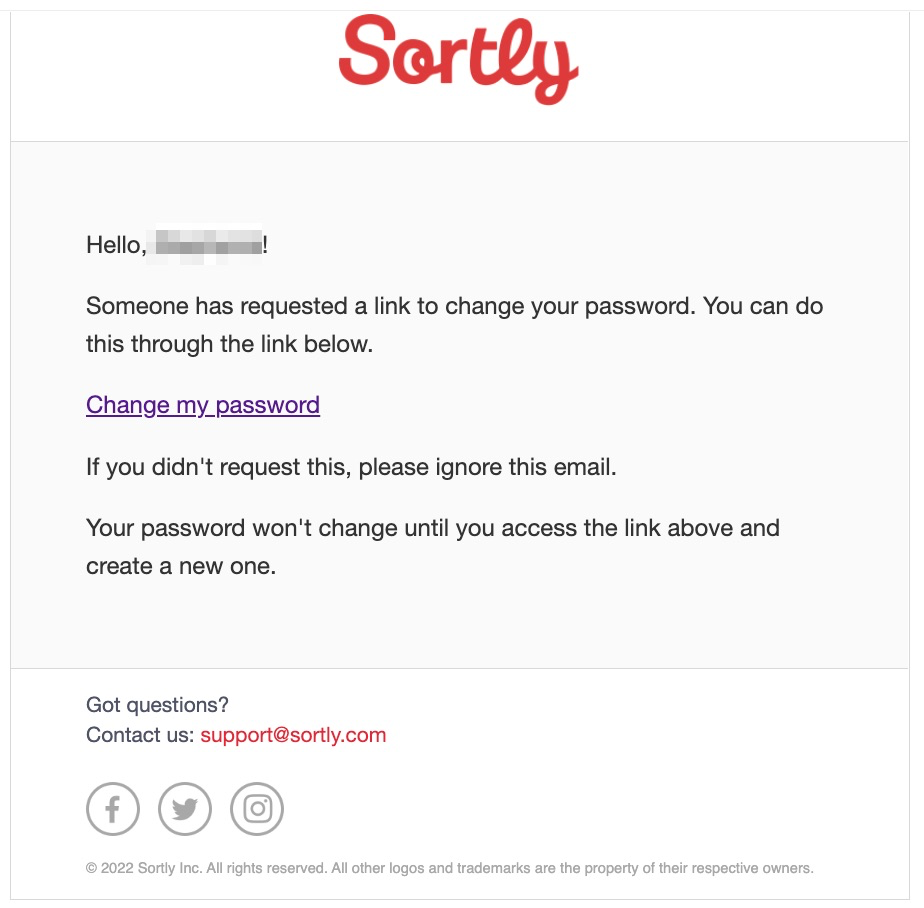
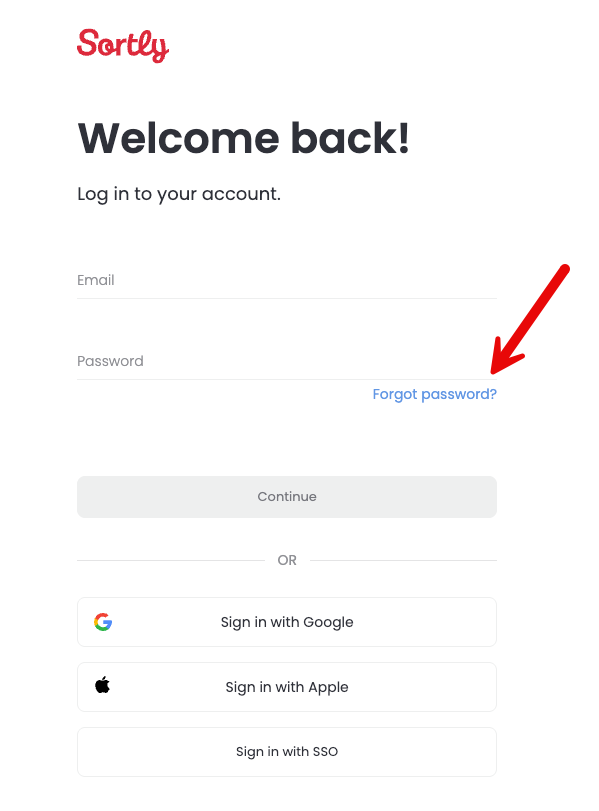
1. 1**Request a password reset**
Click Forgot Password. We'll send an email with reset steps to the email on file.
2. 2**Open the reset link**
Click Change My Password in the email to open the password reset screen.
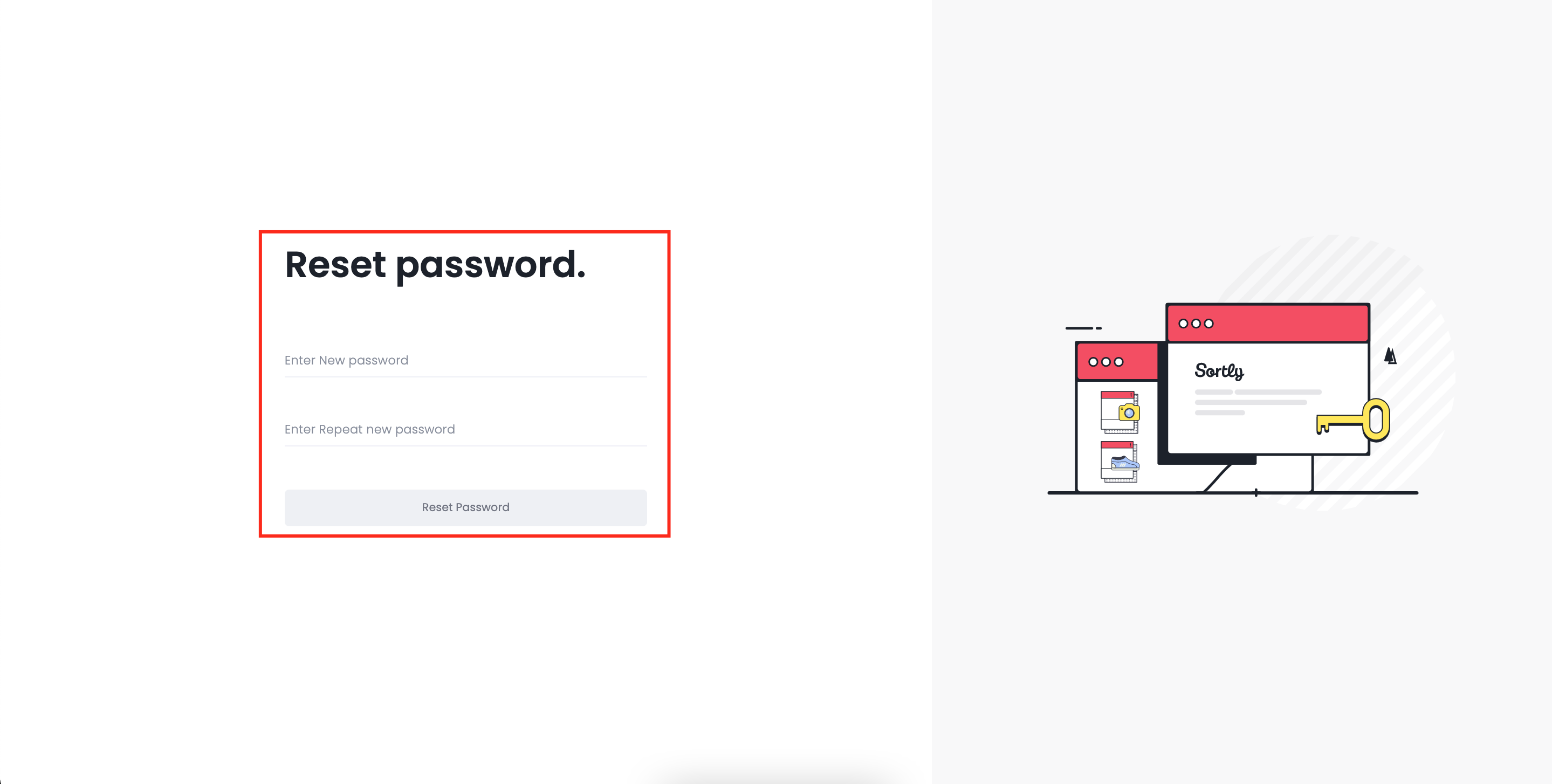
3. 3**Set a new password**
Enter your new password and click Reset Password.
⚠️ The reset email may land in your spam folder depending on your company's firewall settings.
Your password is now updated. You'll need to log in through both web and mobile with your new credentials at [app.sortly.com](https://app.sortly.com/login).
### Frequently Asked Questions
What happens if I enter the wrong password too many times?
To protect your account from unauthorized access, Sortly will temporarily lock your account after five unsuccessful login attempts within 30 minutes. Here's how it works:
- **After 2 failed attempts:** A CAPTCHA will appear to confirm you're not a bot.
- **On attempts 4 and 5:** You'll see how many login attempts you have left.
- **After 5 failed attempts:** Your account will be locked, with a message explaining what happened and how to unlock it.
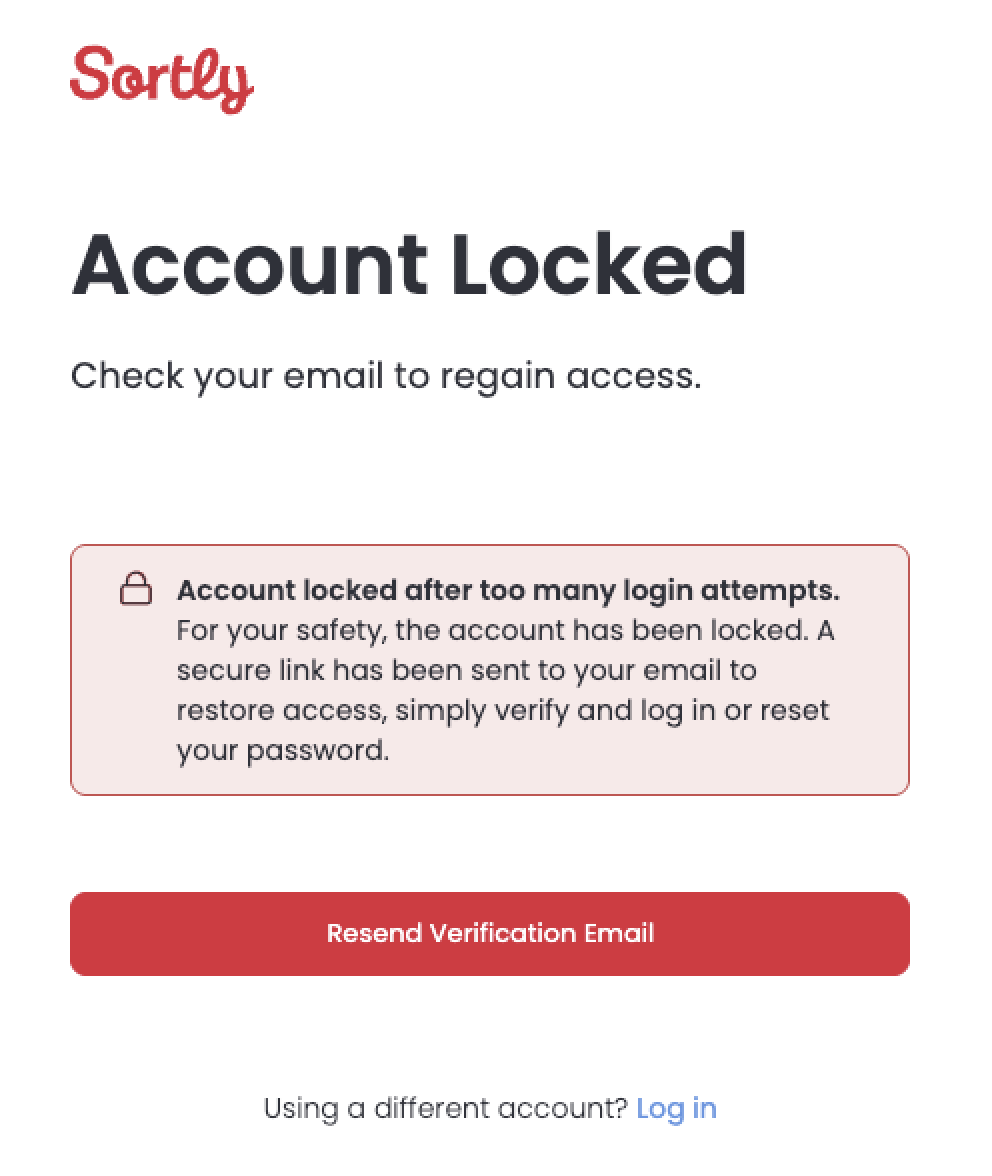
How can I unlock my account?
You can:
- Click the unlock link sent to your registered email.
- Or, contact your admin if you're part of a team account.
Will I know what's happening along the way?
Yes! You'll be shown:
- CAPTCHA prompts.
- Remaining login attempts.
- Clear messaging if you're locked out.
If you're still having trouble logging in, please contact our [Support Team](https://help.sortly.com/hc/en-us/requests/new?hsLang=en).
[](https://www.sortly.com/)
Copyright © 2026, Sortly Inc.