---
title: How do I set Min Levels on Items?
description: Set minimum inventory levels so you can view when items are running low and need restocking.
---
[Skip to content](https://help.sortly.com/how-do-i-set-min-levels-on-items#main-content)

Open main navigation
Close main navigation
Looking for answers? Start here.
- There are no suggestions because the search field is empty.
1. [Sortly Help Center](https://help.sortly.com/?hsLang=en)
2. [FAQs](https://help.sortly.com/faqs?hsLang=en)
3. [FAQ](https://help.sortly.com/faqs?hsLang=en#faq)
# How do I set Min Levels on Items?
Set minimum inventory levels so you can view when items are running low and need restocking.
**Free**
**Advanced**
**Ultra**
**Premium**
**Enterprise**
**In this article**
1. [Setting Min Levels](https://help.sortly.com/how-do-i-set-min-levels-on-items#setting-min-levels)
- [Individual](https://help.sortly.com/how-do-i-set-min-levels-on-items#individual-setting)
- [Bulk](https://help.sortly.com/how-do-i-set-min-levels-on-items#bulk-setting)
2. [Viewing Min Levels](https://help.sortly.com/how-do-i-set-min-levels-on-items#viewing-min-levels)
## **Setting Min Levels**
Min levels can be set individually or in bulk to efficiently manage your inventory.
### **Individual Setting**
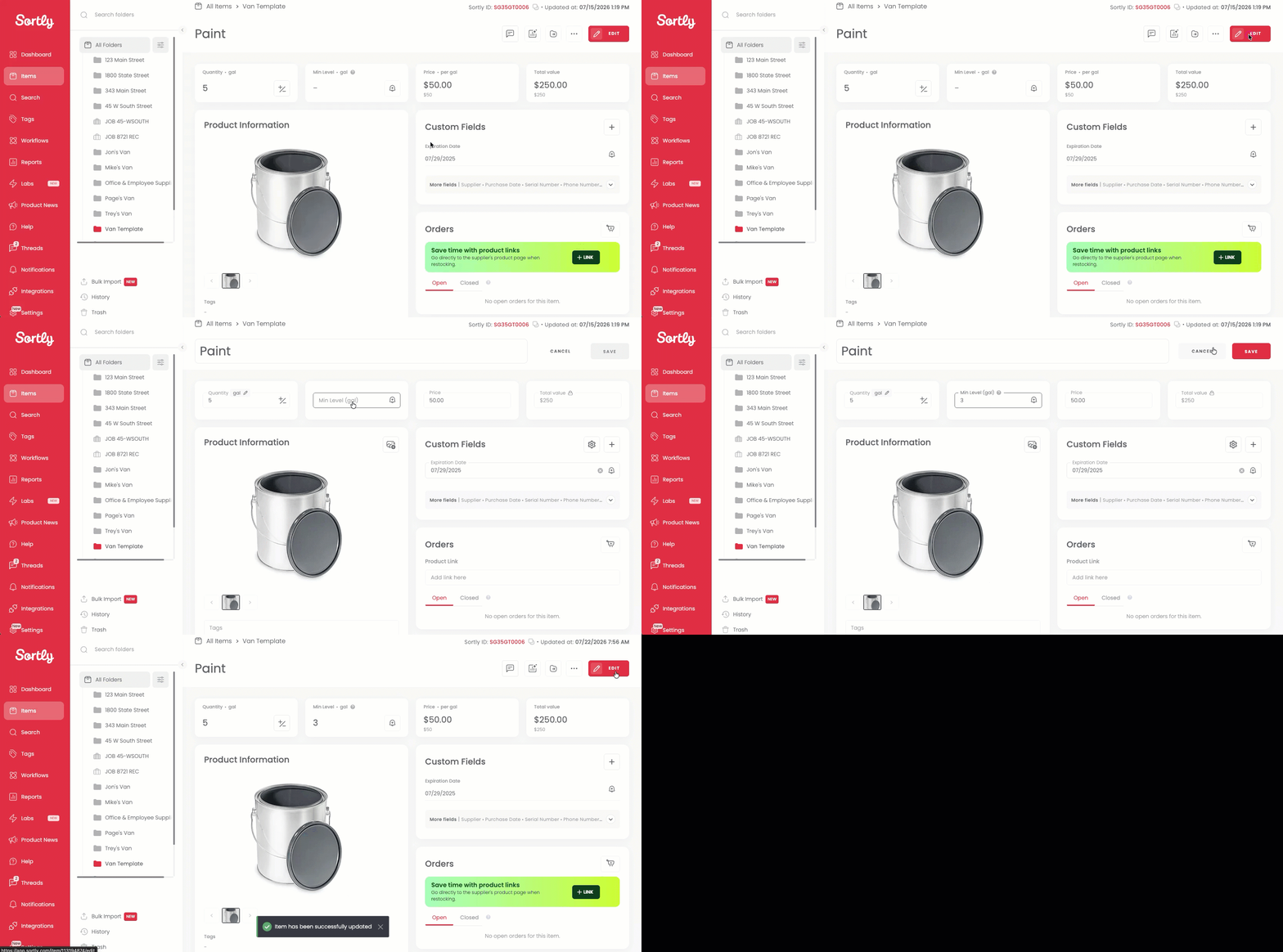
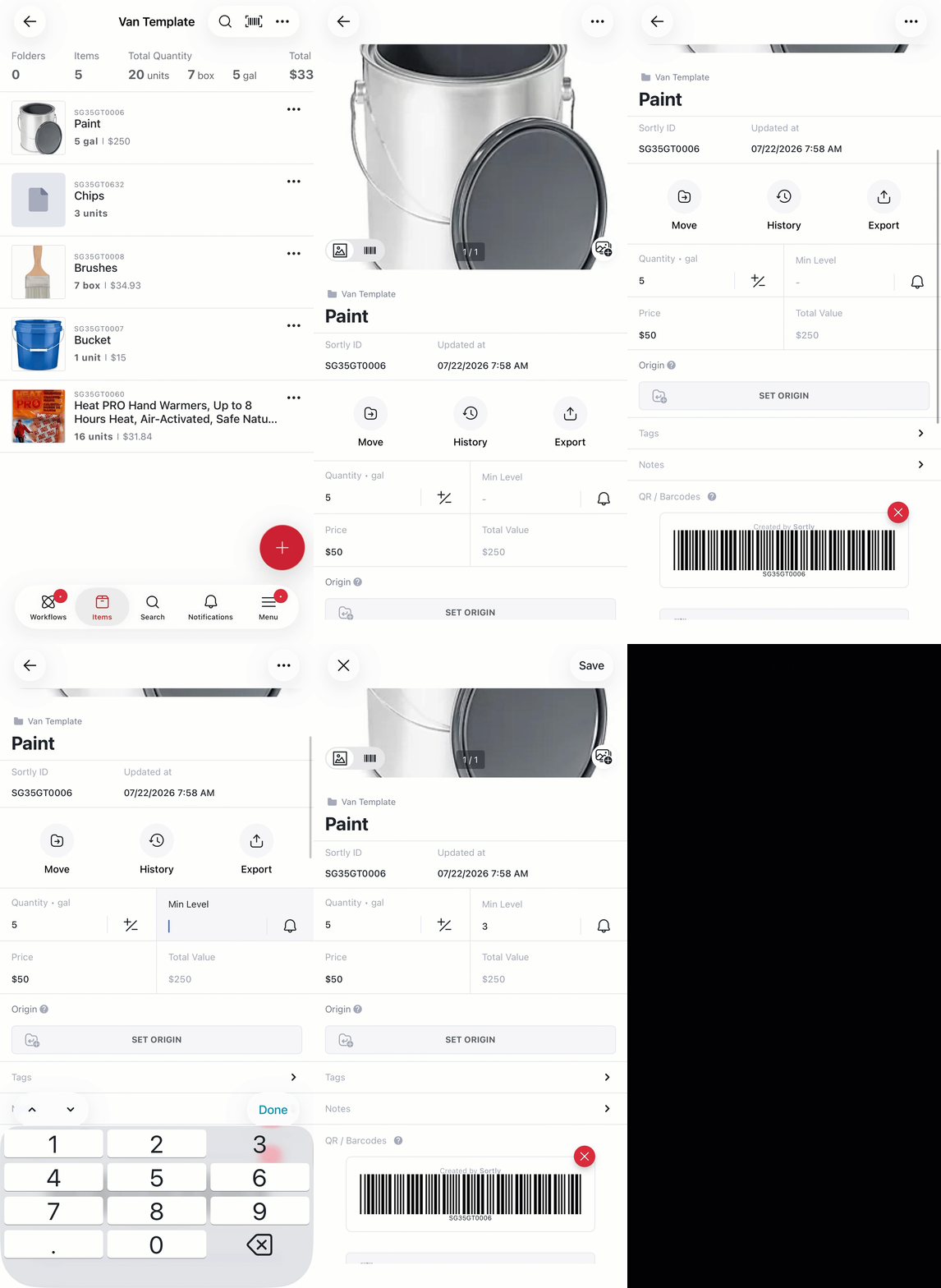
Navigate to the item's details page and click **Edit** to update the min level directly for that item.
**Web:**
**Mobile:**
### **Bulk Setting**
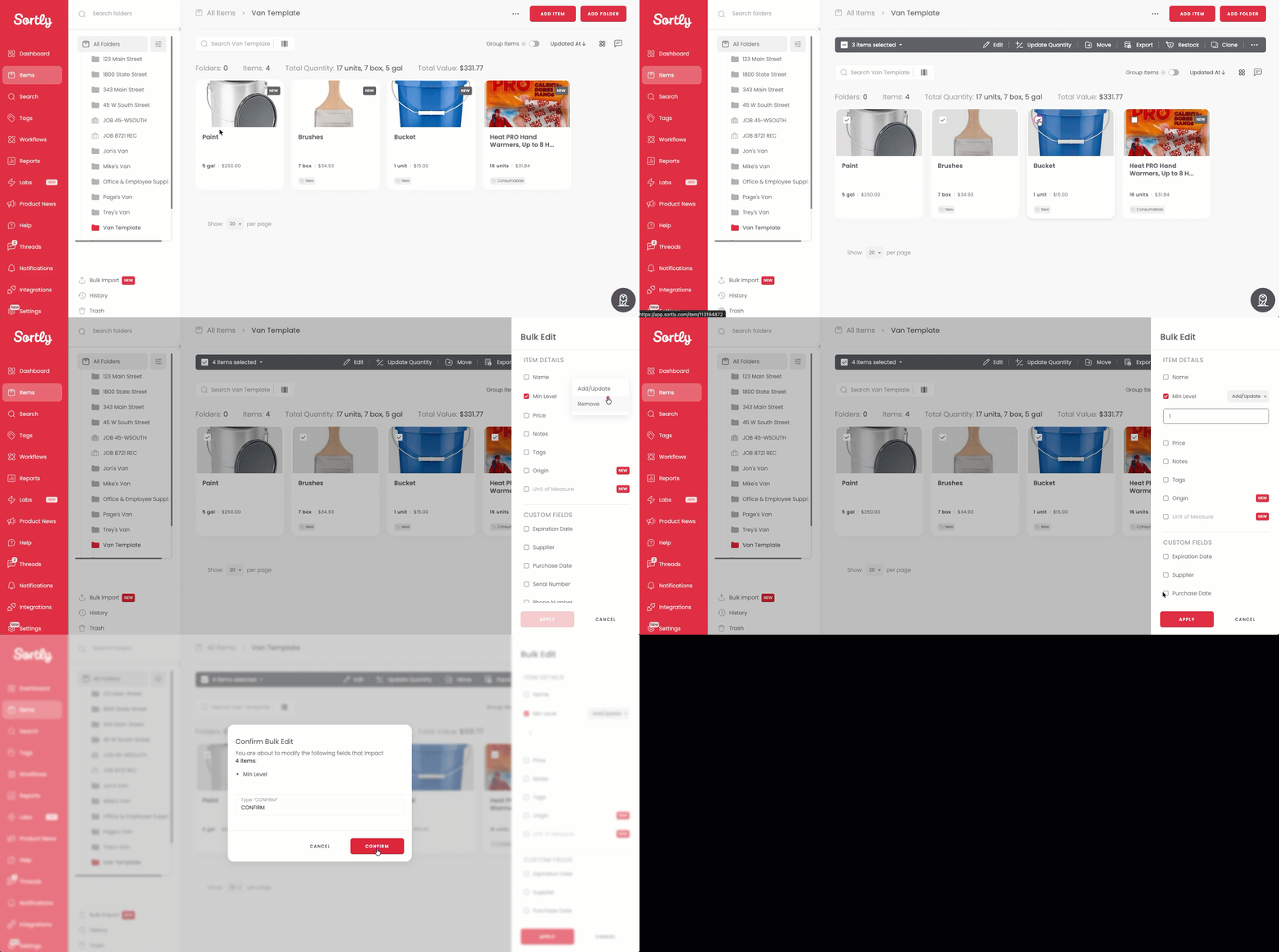
Select multiple items to set minimum levels across your inventory at once. For more on the Bulk Edit feature, you can check out the article: [Bulk Edit Items and Folders](https://help.sortly.com/hc/en-us/articles/360016384492-Bulk-Edit-Items-and-Folders?hsLang=en).
**Web:**
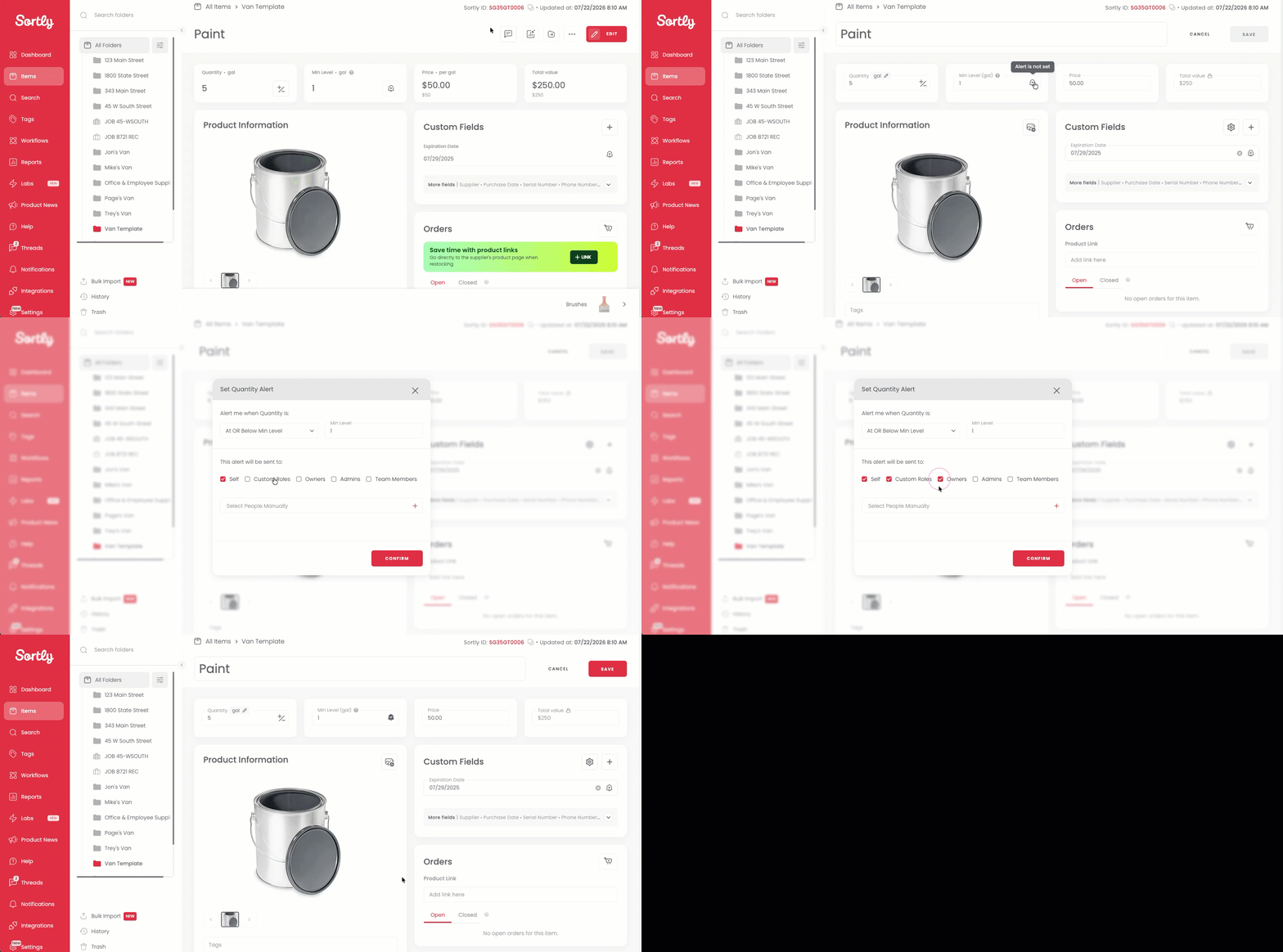
You can also set alerts to get notified when an item reaches its minimum level, just click the bell icon after setting it.
⚠️ Quantity alerts are available on Advanced, Ultra, Premium, and Enterprise plans. See [Quantity Alerts](https://help.sortly.com/hc/en-us/articles/360009155191-Quantity-Alerts?hsLang=en) for more details.
## **Viewing Min Levels**
### **Item View**
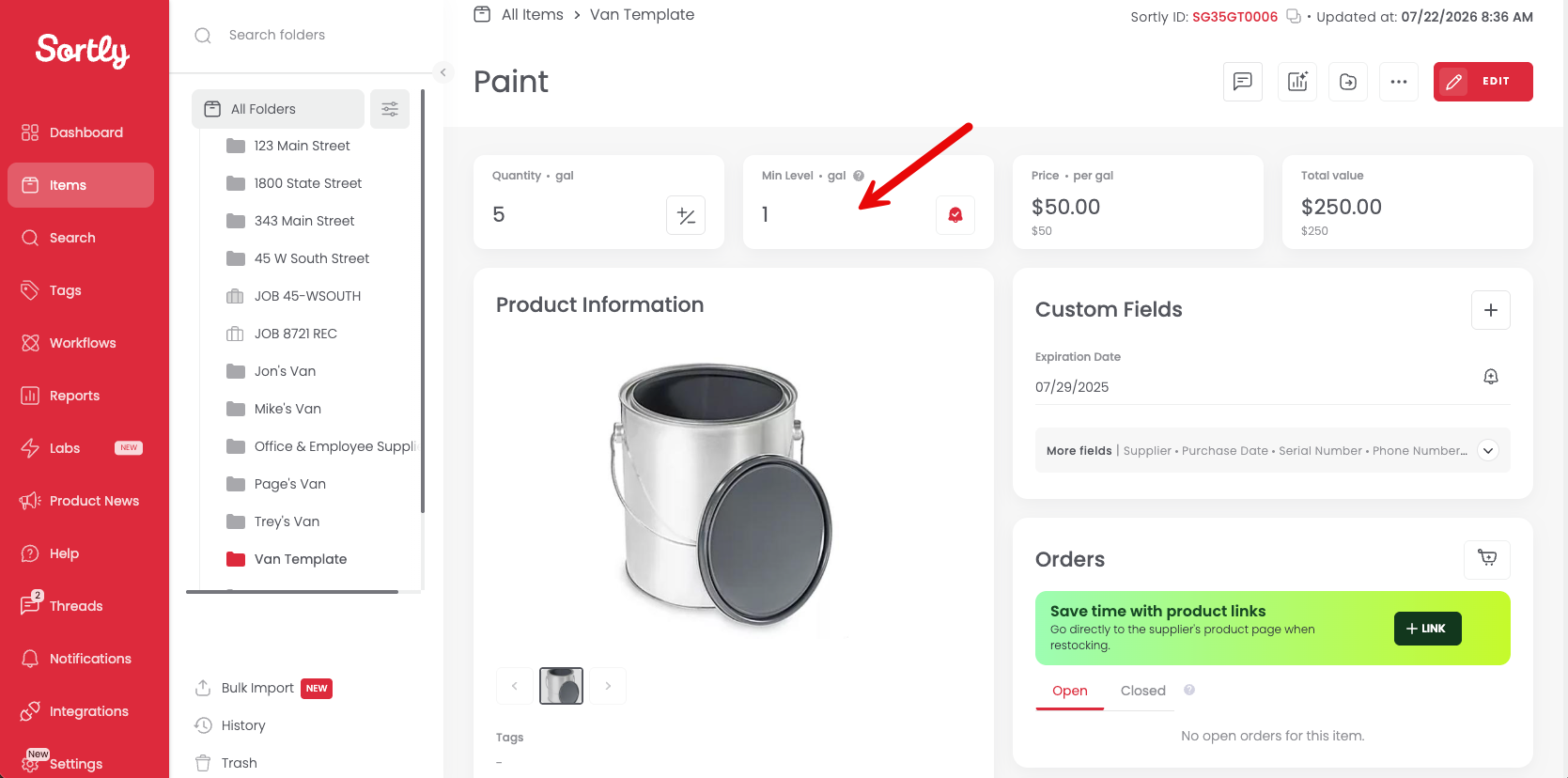
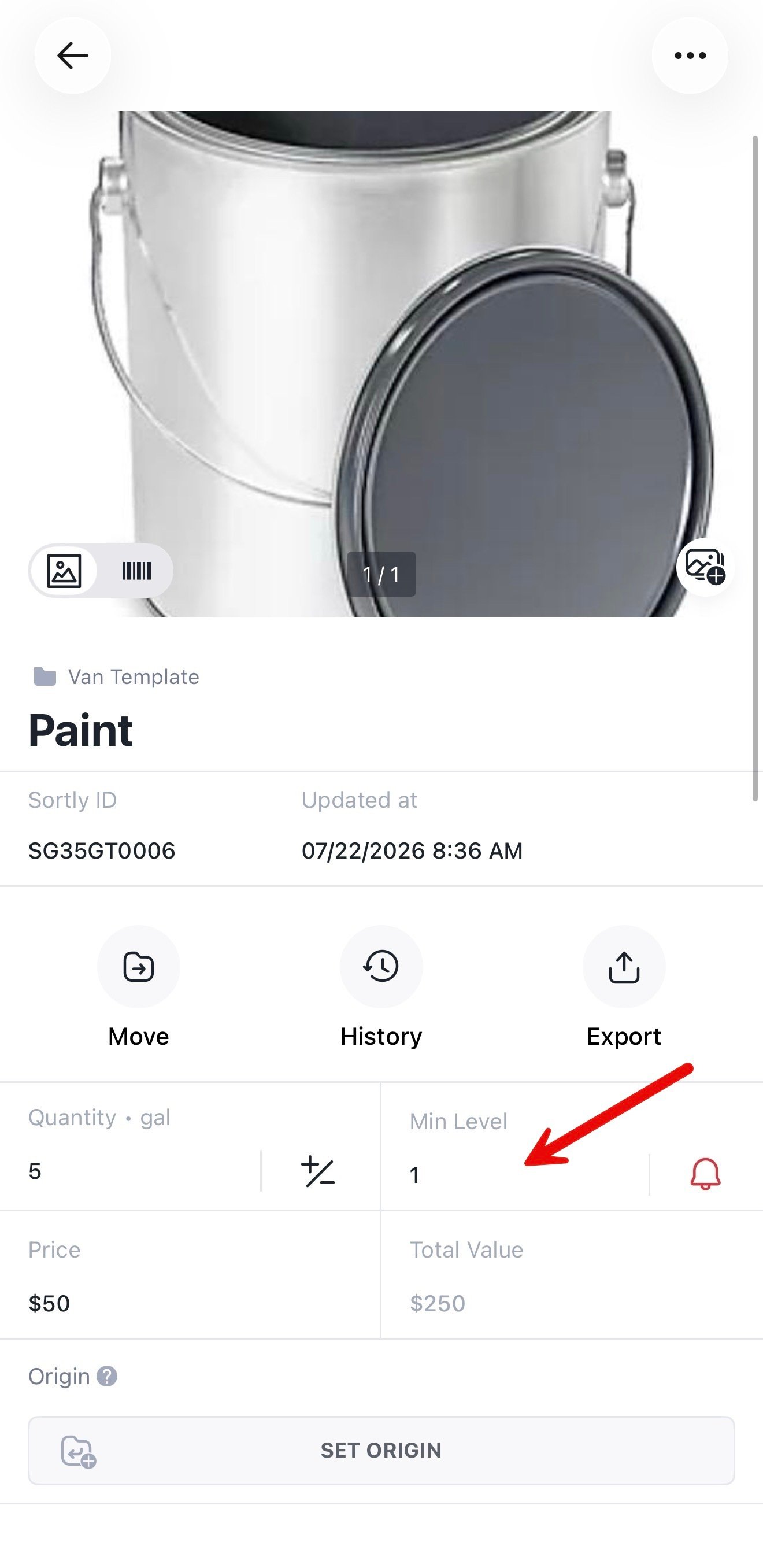
Once a minimum is set, click into the item details to see its min level.
**Web:**
**Mobile:**
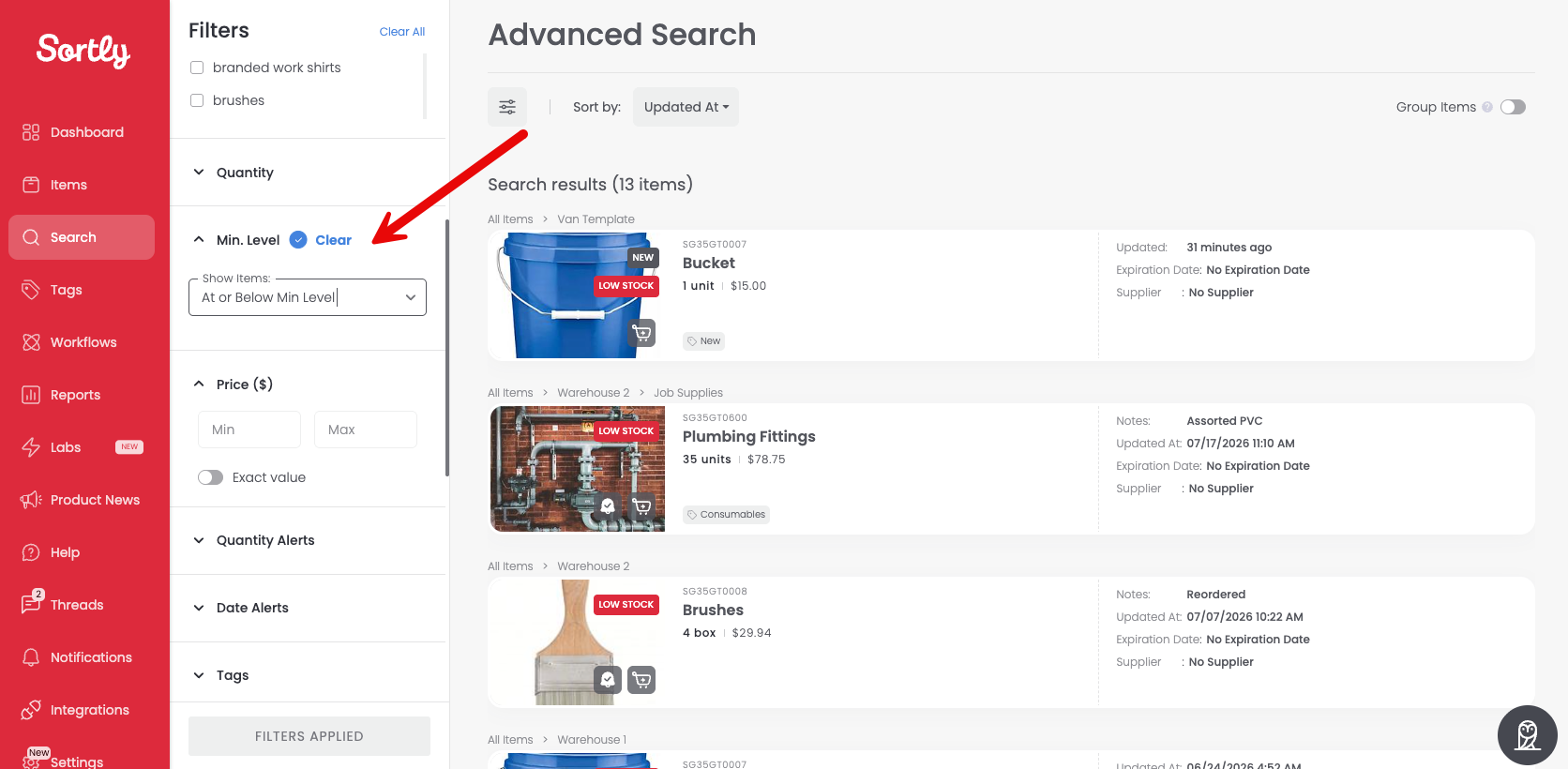
### **Advanced Search View**
From [Advanced Search](https://help.sortly.com/hc/en-us/articles/360022383011-Advanced-Search?hsLang=en) on Desktop, you can identify items below or above their min levels.
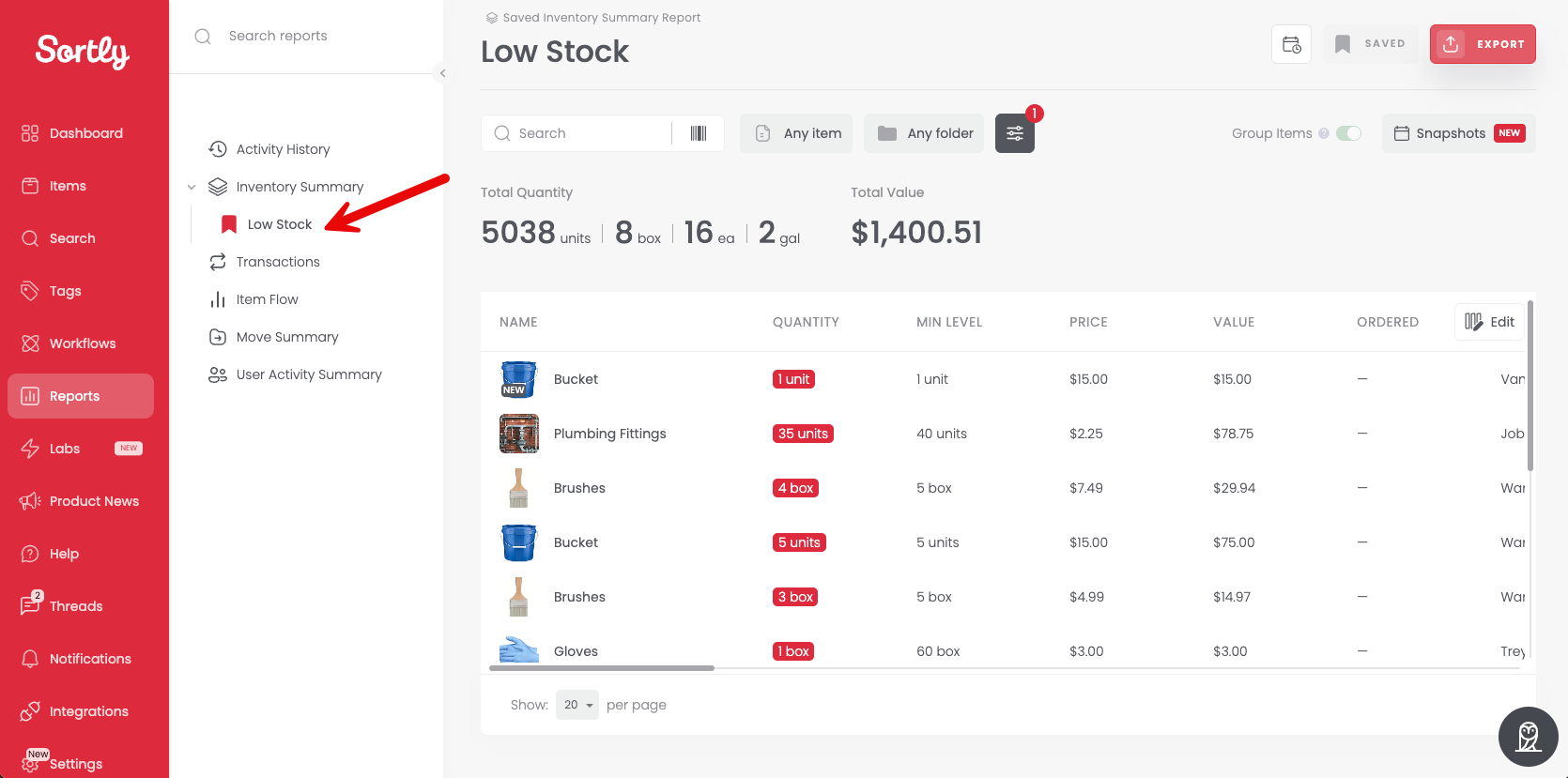
### **Low Stock Report View**
View the [Low Stock Report](https://help.sortly.com/hc/en-us/articles/4413455895067-Low-Stock-Report?hsLang=en) to see items at or below their min levels.
**Web:**
**Mobile:**
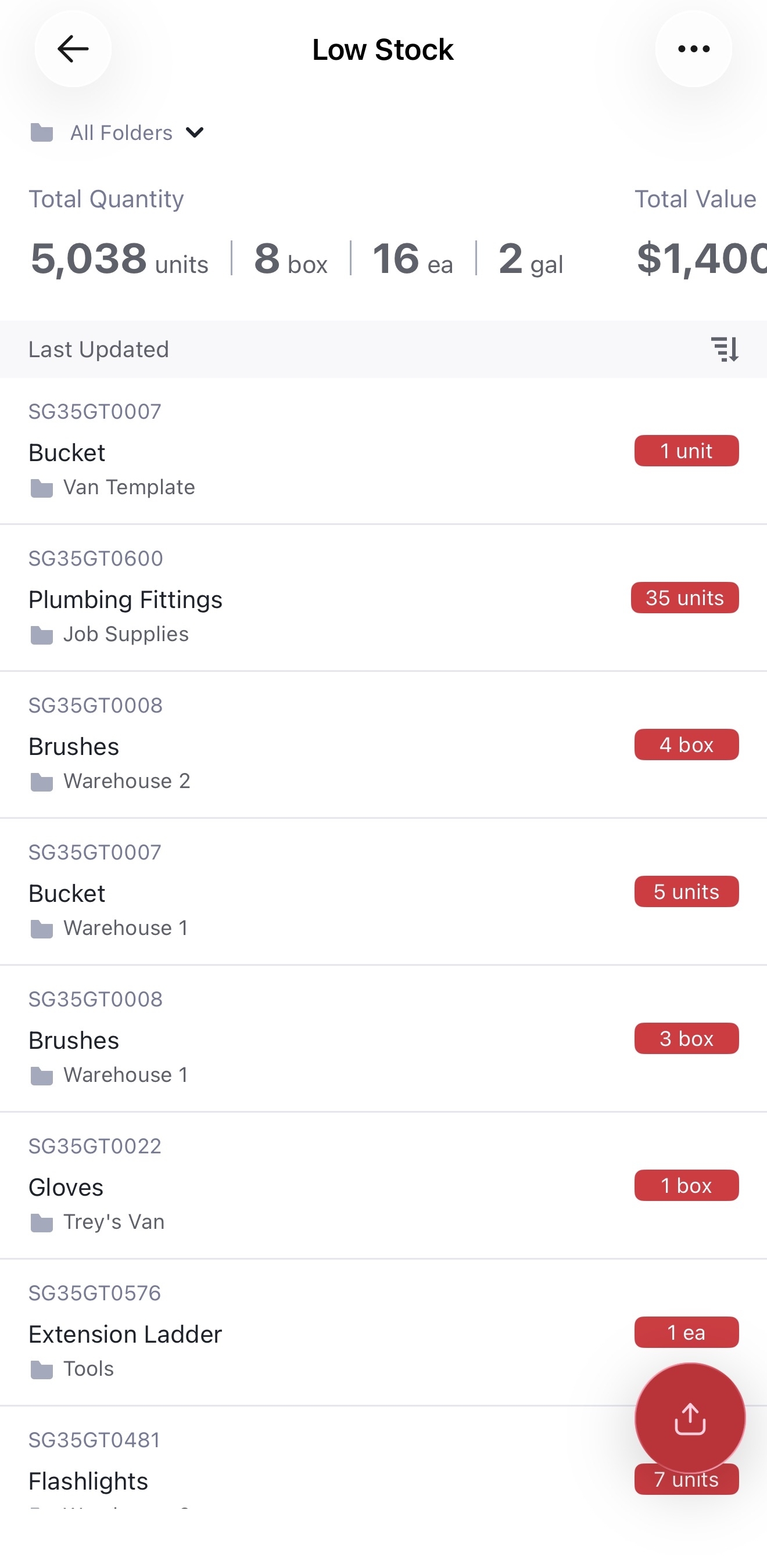
This report can also be exported. Learn more about exporting your data in the article [How to Export Your Inventory in Sortly](https://help.sortly.com/hc/en-us/articles/360000735112-How-to-Export-Your-Inventory-in-Sortly?hsLang=en).
[](https://www.sortly.com/)
Copyright © 2026, Sortly Inc.