
Make sure you receive important notifications, account updates, and security alerts by keeping your email address up to date on Sortly. This article walks you through updating your profile email address, changing your billing email address, and getting help verifying your email.
In this article
Update Profile Email Address
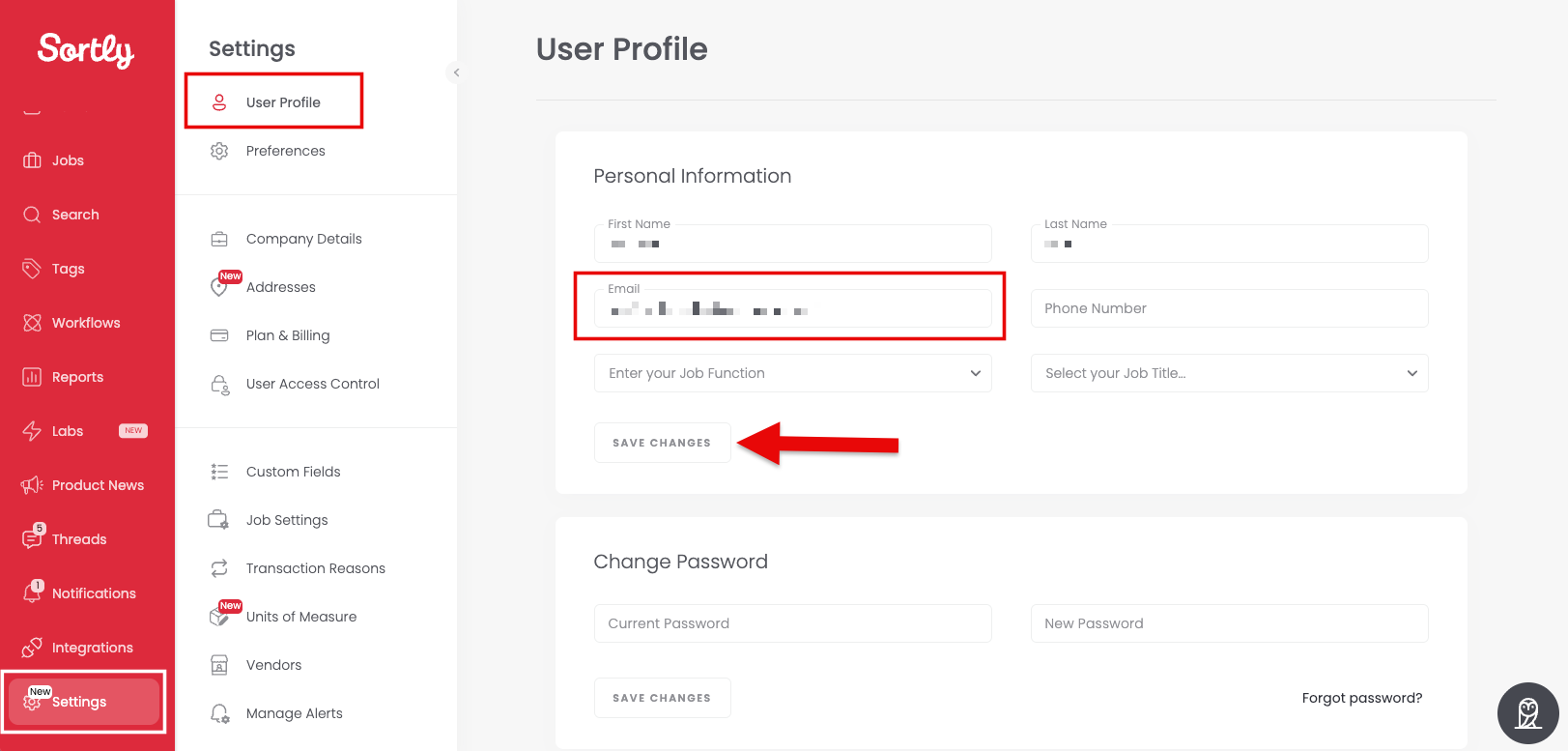
Need to change the email address on your Sortly account? You can do it from your user profile on web.
Update Billing Email Address
Updating the email address on your profile doesn't update the email that receives invoices. If you'd like another email added to receive copies of invoices, or need to change the invoice email on file, contact our Support Team.
Issues Verifying Email Address
If you need help verifying your email, or are seeing a message that your confirmation token is invalid, contact our Support Team for assistance.