---
title: Integrate With Slack
description: Connect Sortly with Slack to post inventory, purchase order, and job updates to one public Slack channel.
---
[Skip to content](https://help.sortly.com/integrate-with-slack#main-content)

Open main navigation
Close main navigation
Looking for answers? Start here.
- There are no suggestions because the search field is empty.
1. [Sortly Help Center](https://help.sortly.com/?hsLang=en)
2. [Customizing Account](https://help.sortly.com/customizing-account?hsLang=en)
3. [Integrations](https://help.sortly.com/customizing-account?hsLang=en#integrations)
# Integrate With Slack
Stay on top of inventory changes by sending Sortly activity updates to a public Slack channel. Choose the events you want to post, then add the Sortly app to that channel, and your team sees each update in Slack as it happens. This article walks you through how the integration works, how to connect Slack, and what the updates look like in your channel.
Ultra
Premium
Enterprise
In this article
1. [How it works](https://help.sortly.com/integrate-with-slack#how-it-works)
2. [Connect Slack](https://help.sortly.com/integrate-with-slack#connect-slack)
3. [Use the integration](https://help.sortly.com/integrate-with-slack#use-integration)
4. [Frequently asked questions](https://help.sortly.com/integrate-with-slack#faq)
### How it works
After you connect Slack, Sortly posts the events you select to the public channel you choose. You can pick events for your inventory, purchase orders, and jobs, and you can change the channel or the events later.
---
### Connect Slack
1
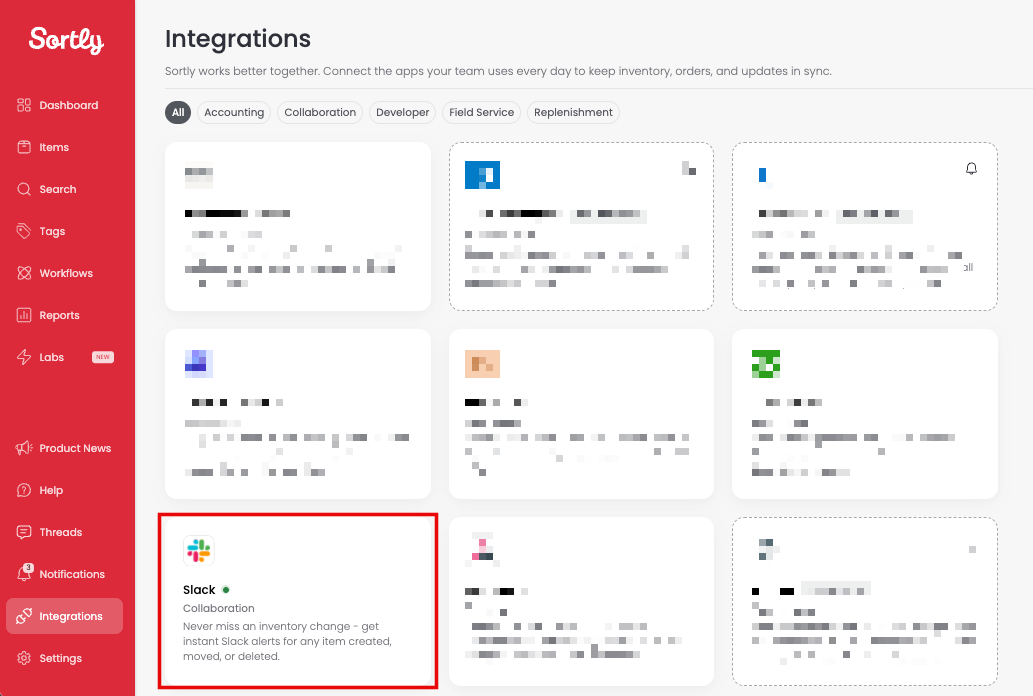
Select Integrations from the left-hand menu, then select Slack.
2
Select the public Slack channel that will receive Sortly updates, then select Save Changes.
3
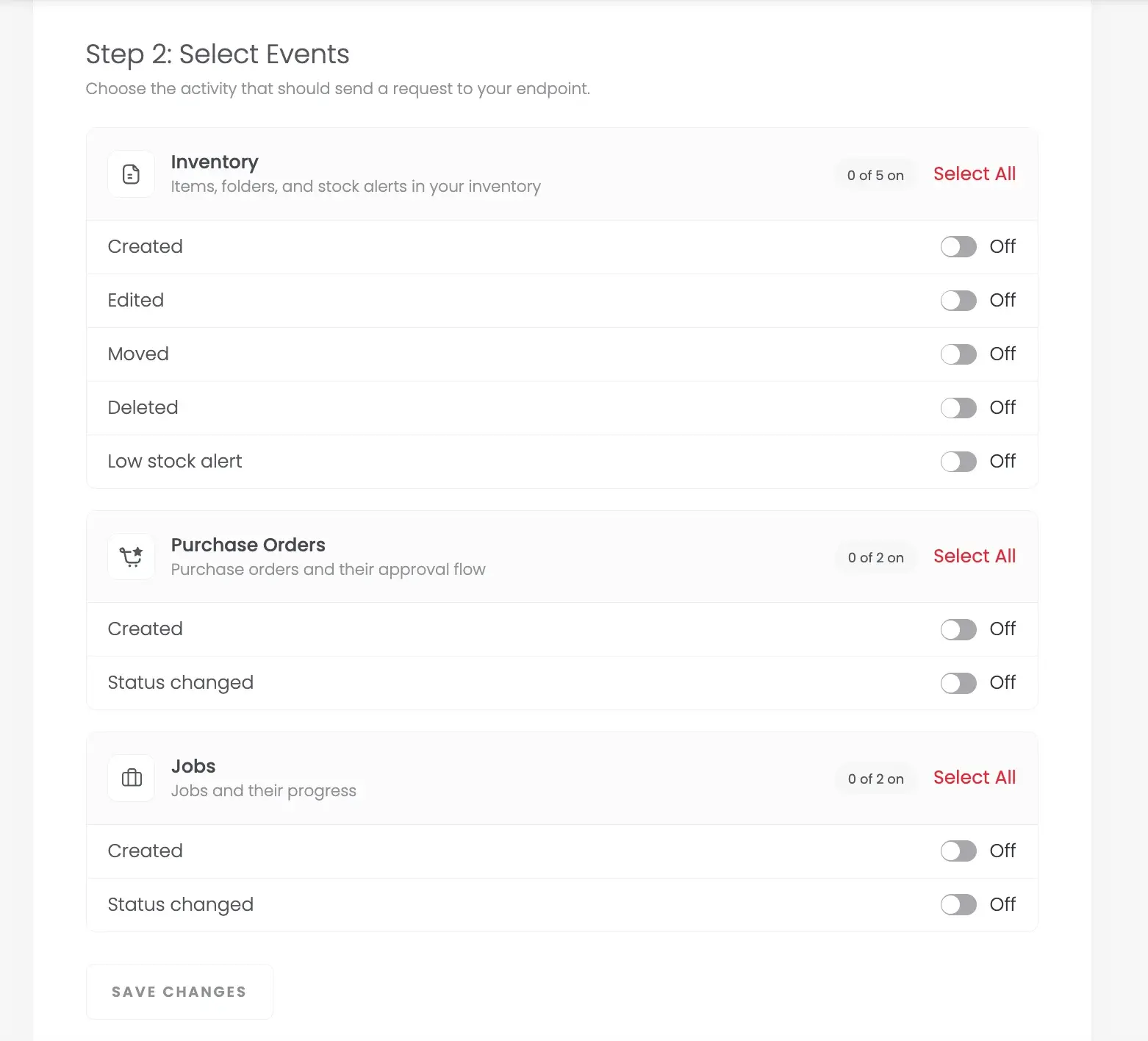
Under Select Events, select the events you want to receive in Slack. Use Select All to choose every event in a group: Inventory, Purchase Orders, or Jobs.
4
Select Save Changes. You can update these settings later.
5
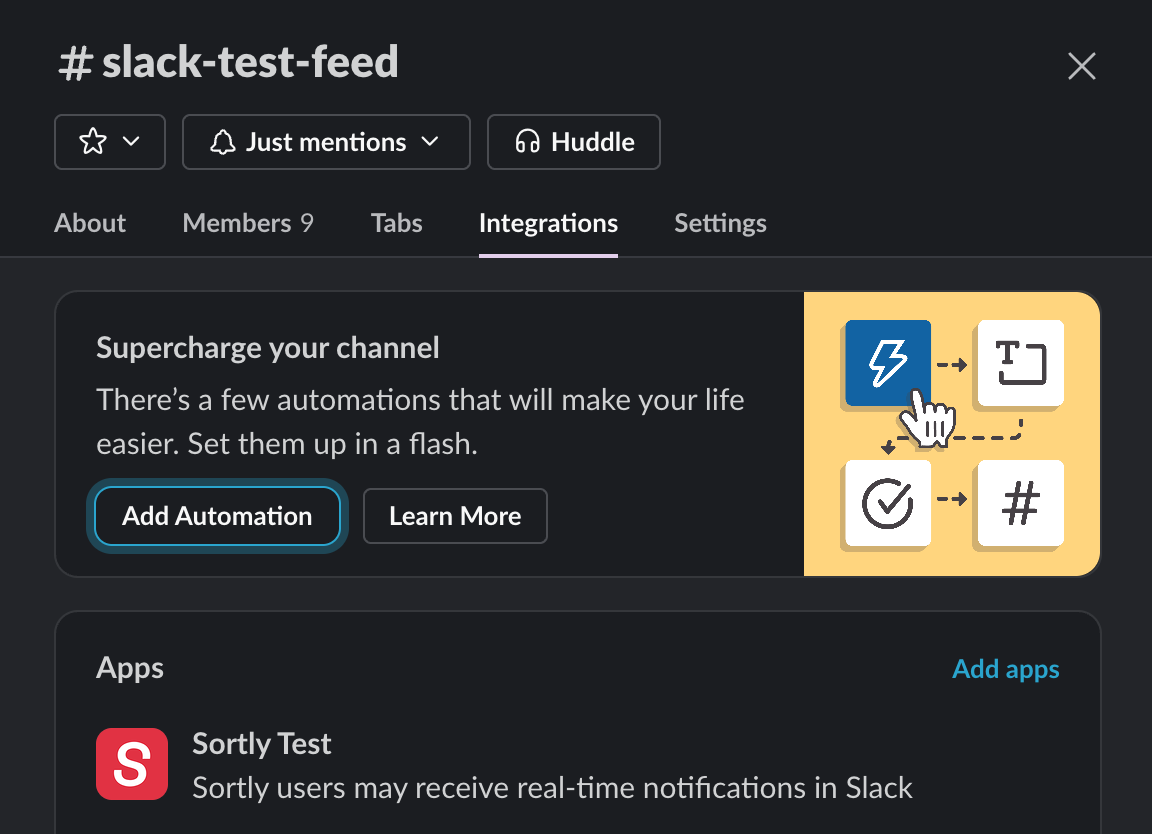
In Slack, open the channel you selected and select the member list at the top right. In the Integrations tab, confirm that the Sortly app is added under Apps. If it isn't, select Add apps and choose the Sortly app.
---
### Use the integration
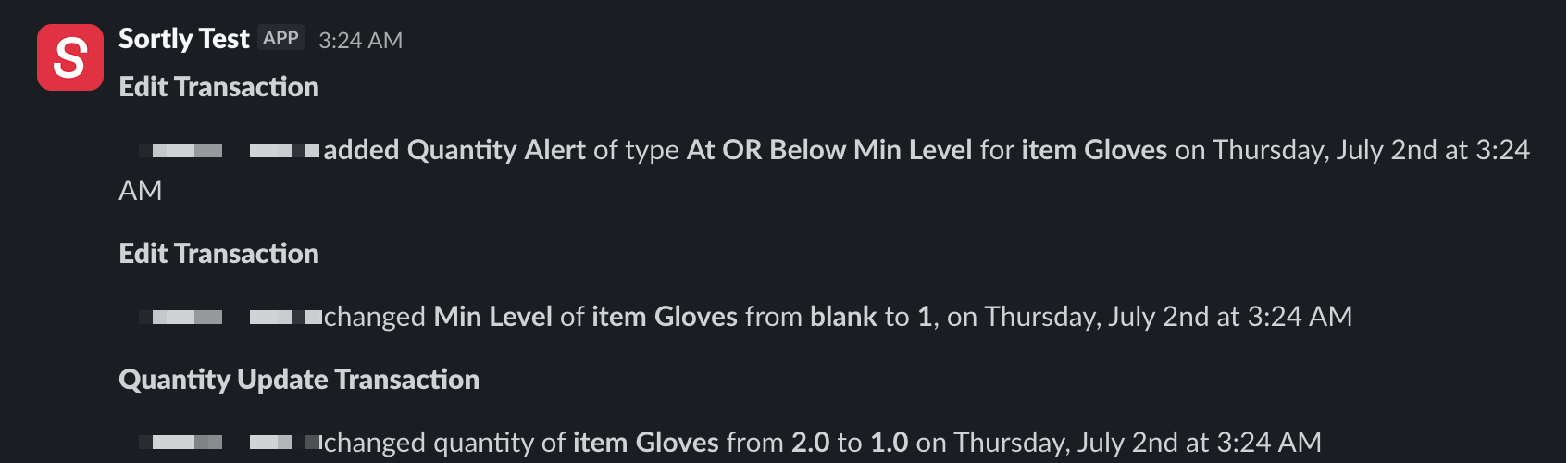
When you or a team member takes an action that matches a selected event, Sortly posts an update in the connected Slack channel.
---
### Frequently Asked Questions
Why is my channel not showing as an option?
Only public Slack channels appear as options.
Can I add multiple Slack channels?
No. You can connect one Slack channel at a time.
[](https://www.sortly.com/)
Copyright © 2026, Sortly Inc.