Delete an item to remove it from your catalog entirely, or delete stock to remove an item's quantity from one location while the item stays in your catalog.
Free
Advanced
Ultra
Premium
Enterprise
In this article
Delete an Item from Your Catalog
⚠️ Deleting an item is permanent and can't be undone. Sortly shows a warning message before you delete the item. Be sure to confirm you're deleting the correct item.
1
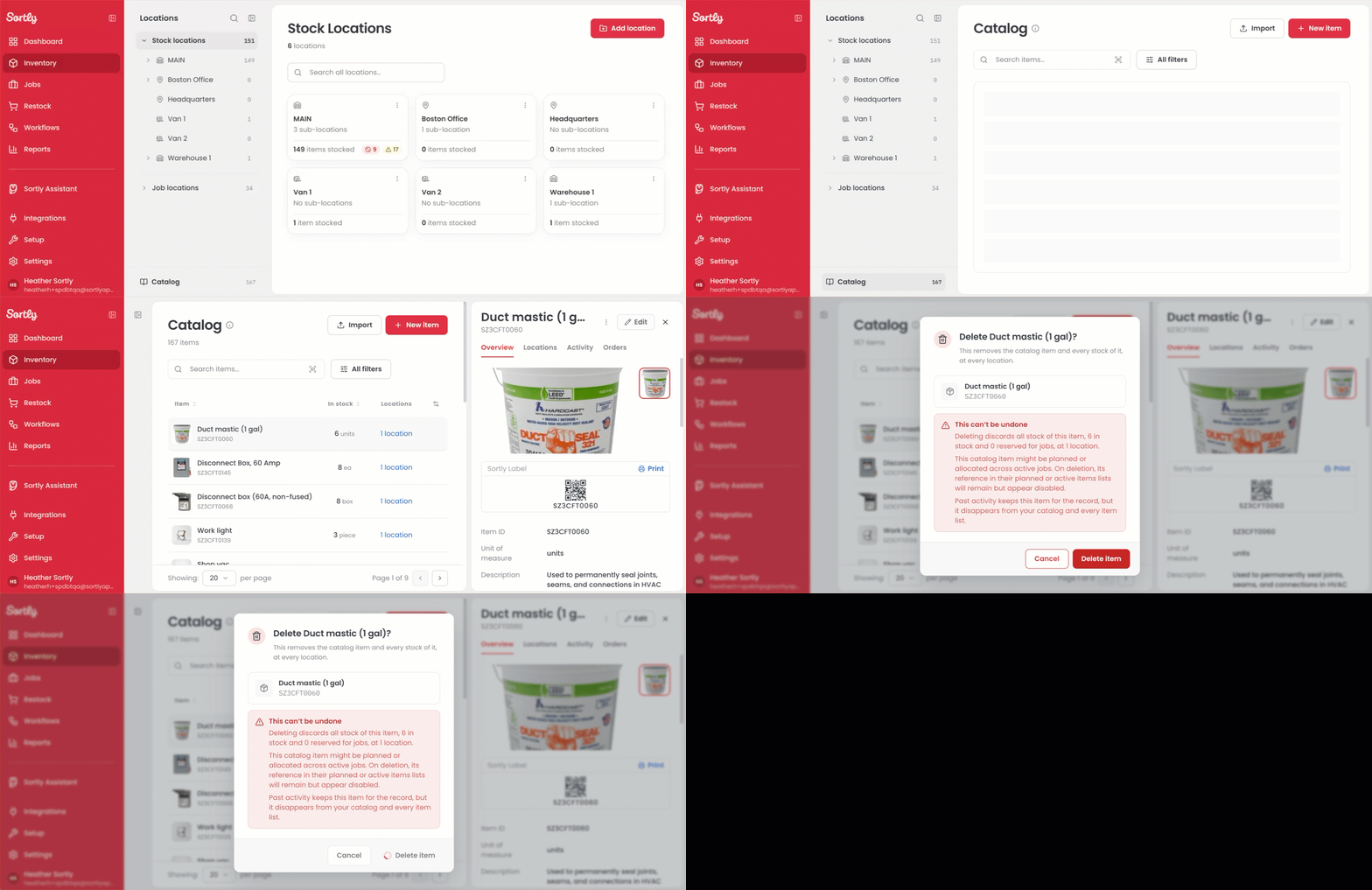
Select Inventory in the left menu.
2
At the bottom of the locations panel, select Catalog.
3
Select the item you want to delete. The item details open on the right.
4
Select the three dots menu at the top of the item details, next to Edit.
5
Select Delete item.
6
Confirm the deletion when prompted.
⚠️ If your role does not show Delete item, ask an Owner or Admin to check your role permissions.
💡 If you only want to remove an item's stock from a location, see Delete Stock from an Item.
Delete Stock from an Item
Deleting stock removes the item's quantity from one location. The item stays in your catalog.
1
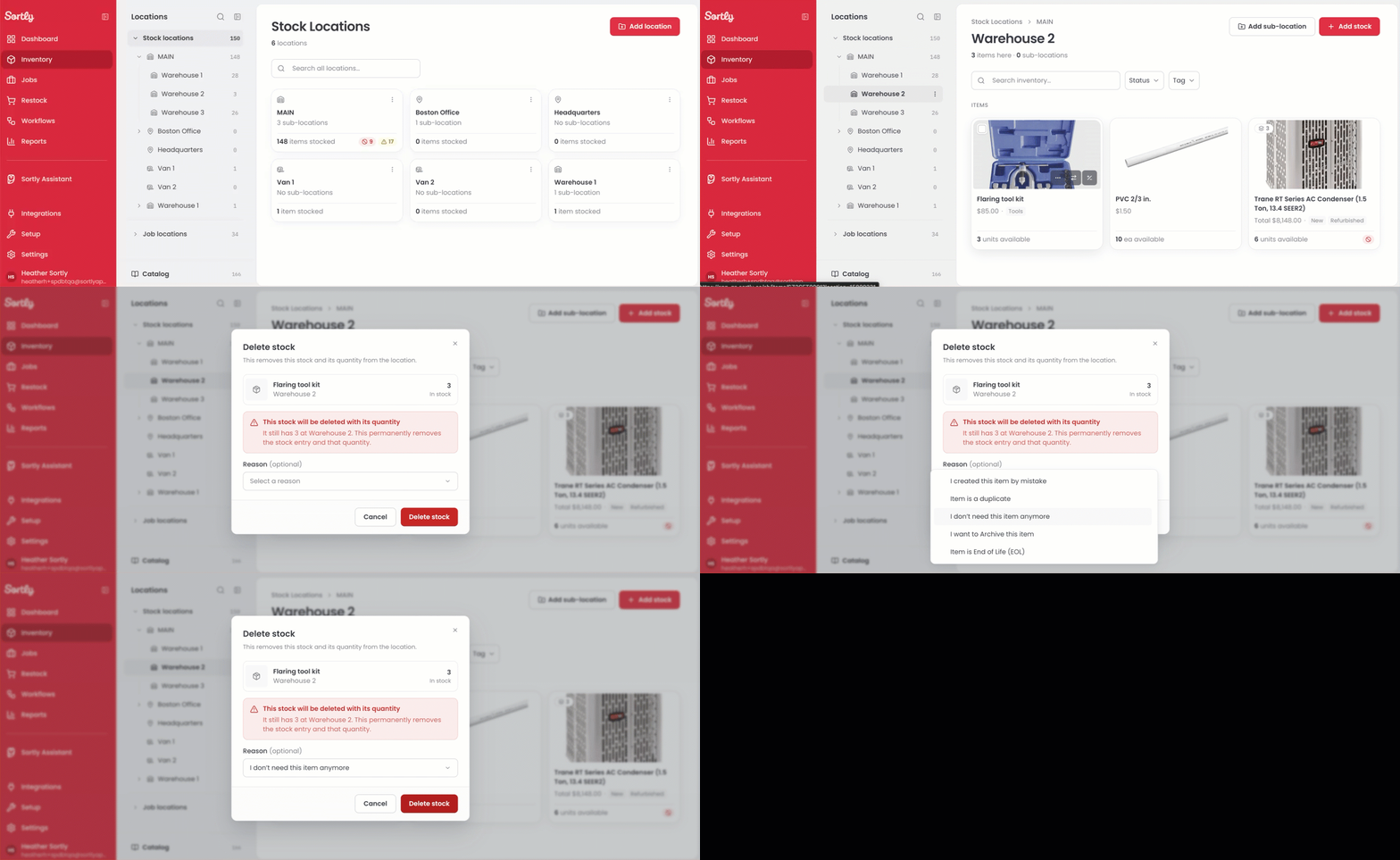
Select Inventory in the left menu.
2
Select the location that holds the item.
3
Under Items, hover over the item card and select the three dots menu.
4
Select Delete stock.
5
Review the item, location, and quantity, then confirm the deletion.
⚠️ Stock that is assigned to a job cannot be deleted. Sortly shows a warning that explains why. If any units are on open purchase orders, Sortly also warns you before you delete.
Delete Stock from an Item on Mobile
You can also delete stock from the Sortly mobile app. Deleting stock removes the item's quantity from one location. The item stays in your catalog.
1
Open the location that holds the item.
2
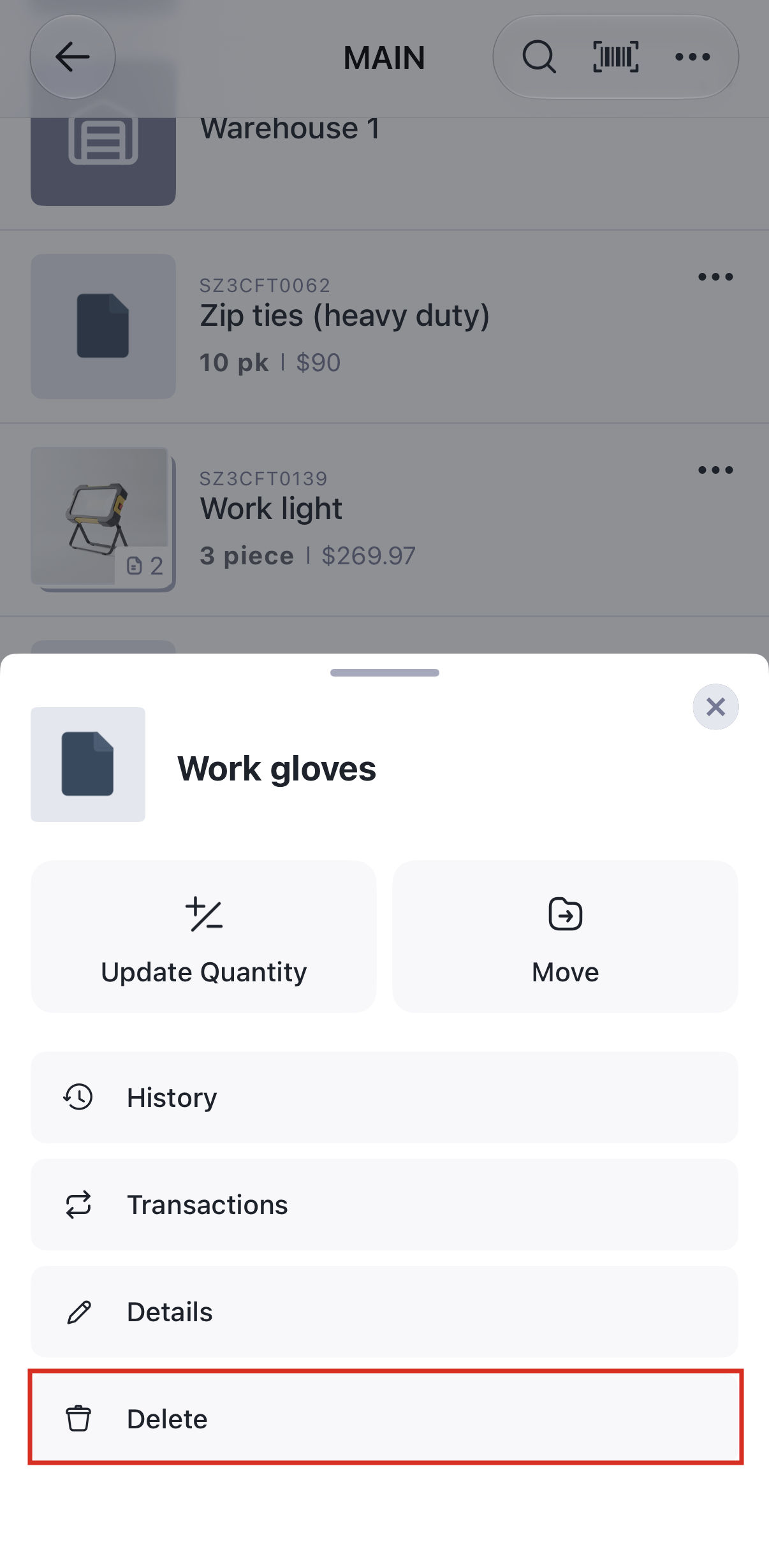
Select the three dots menu next to the item.
3
Select Delete.
4
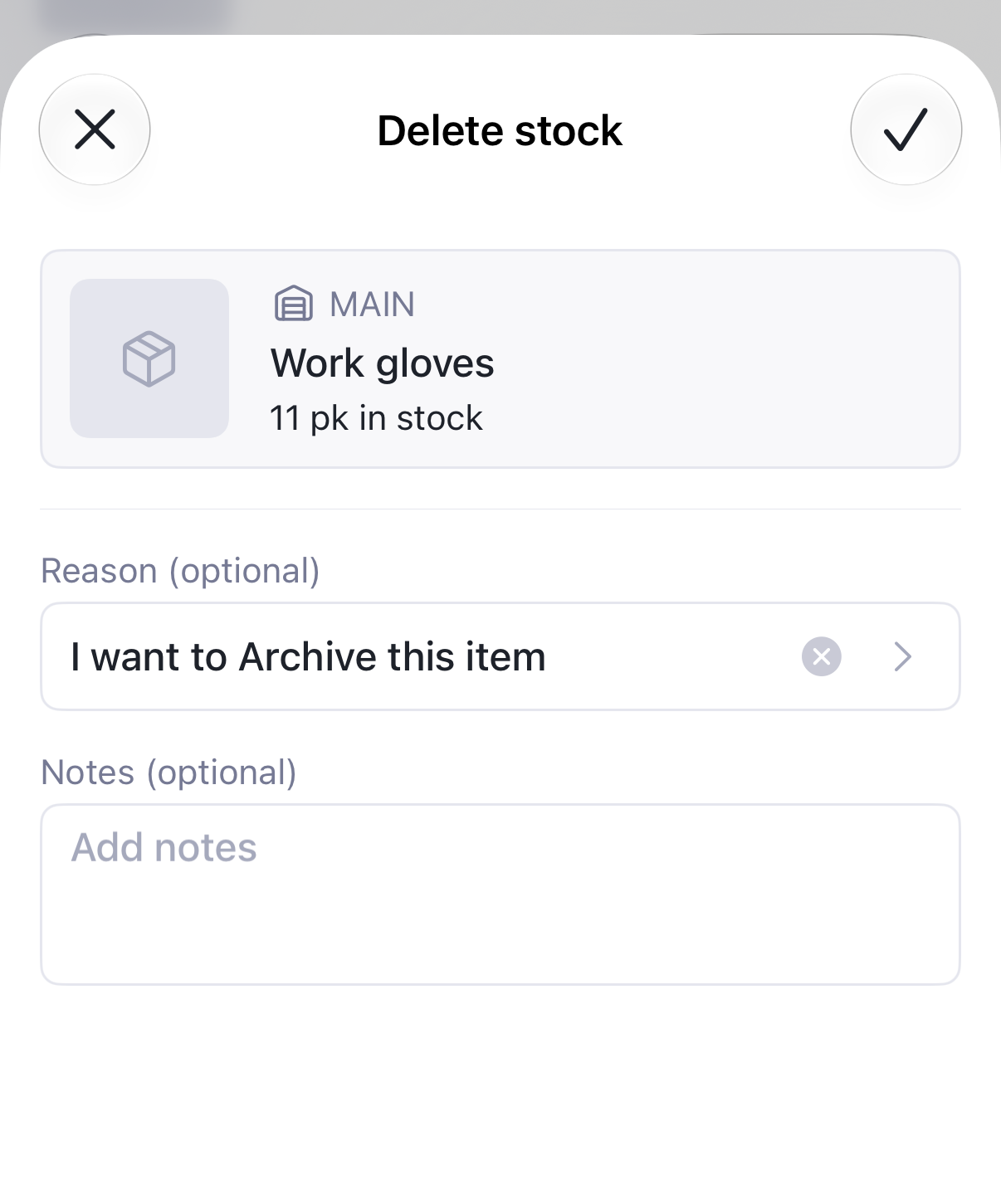
In the Delete stock window, you can select a reason and add notes. Both are optional.
5
Select the checkmark to confirm the deletion.