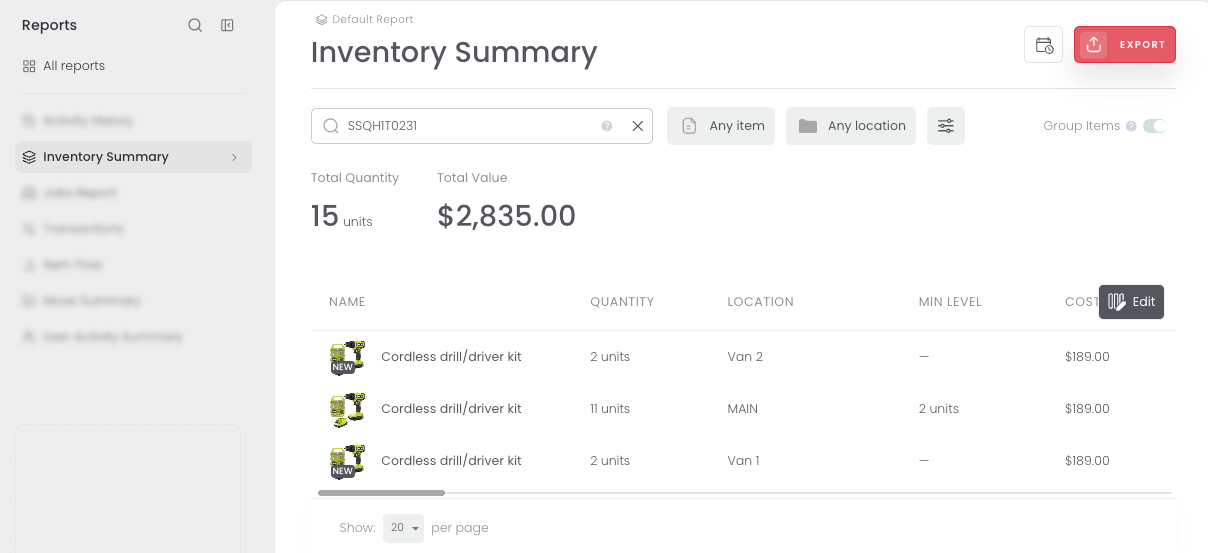
Check how much of an item you have and where it is, whether you start from the Catalog, a location, or a report. Here are the three places to see stock in Sortly.
Free
Advanced
Ultra
Premium
Enterprise
From the Catalog
Prefer to see one item across every location? Start in the Catalog.
1
Select Inventory in the left menu, choose Catalog, and open the item you want to check.
2
In the Item details panel, select the Locations tab. It lists each location that holds the item with the units in each, and a summary line shows how many units are available, reserved, and on order.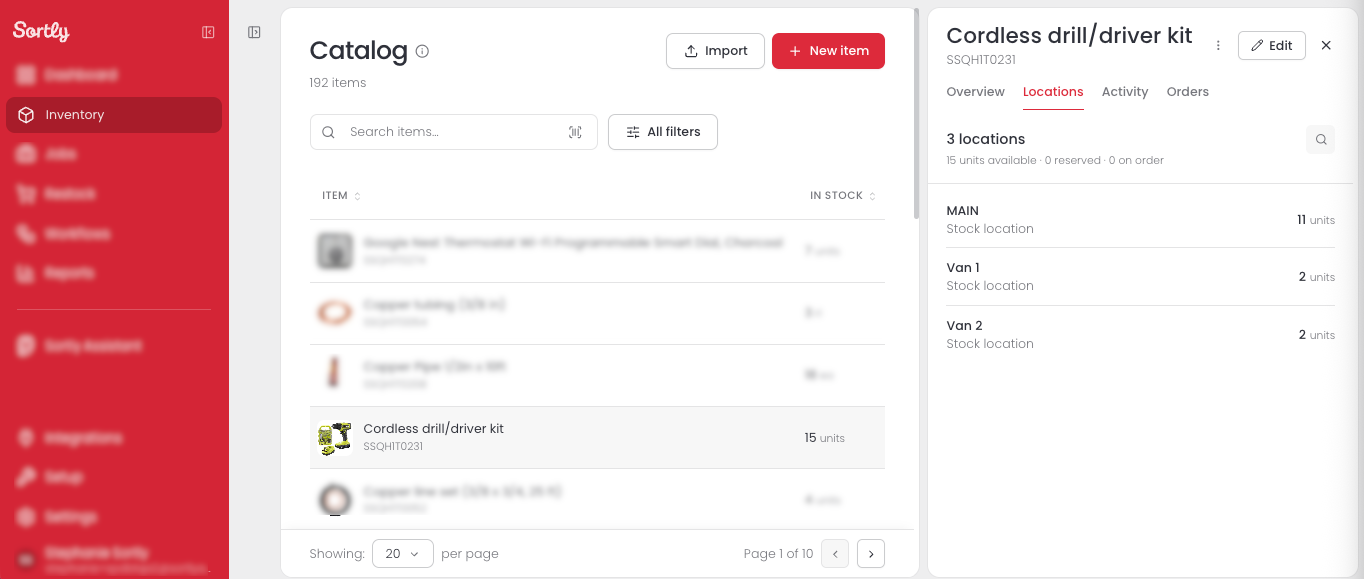
For example, a drill kit with 15 units might list 11 at MAIN and 2 each in Van 1 and Van 2.
From a location
Already in a location? Open the item from there to see only the stock stored in that location.
1
Select Inventory in the left menu and open the location that holds the item.
2
Select the item to open its stock in that location.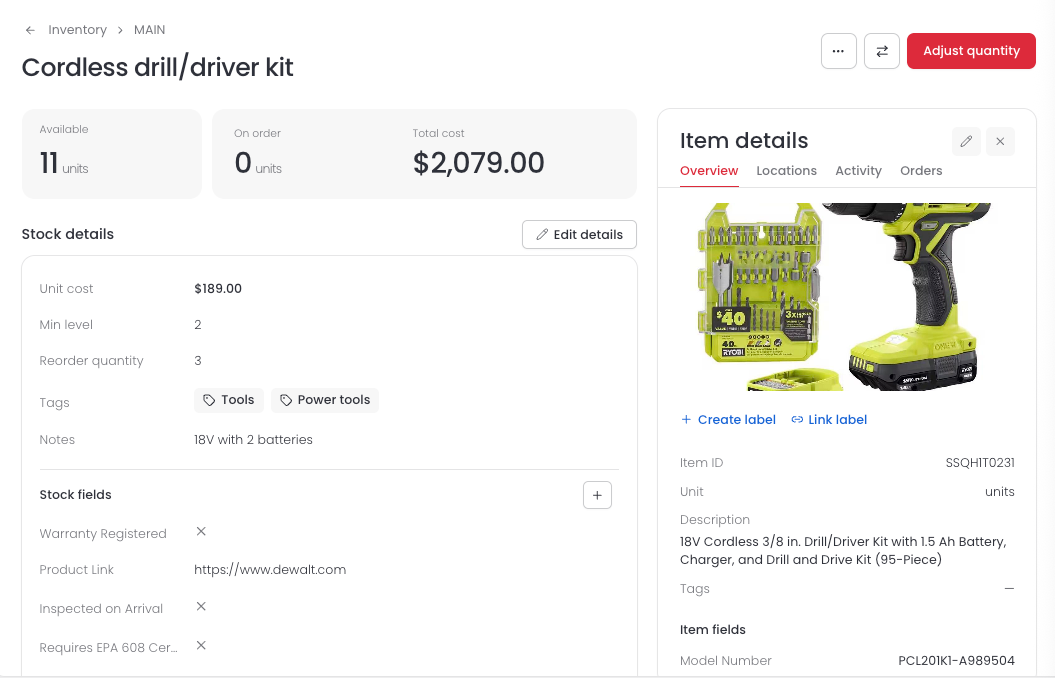
From the Inventory Summary report
Want every stock row in one list? Use the Inventory Summary report.
1
Select Reports in the left menu and choose Inventory Summary.
2
Search for an item, or narrow the list with Any item and Any location.