
Get early access to new Sortly features and help shape where they go next. Sortly Labs lets you try experimental features before they're released to everyone, and your feedback goes straight to our product team. This article walks you through how Labs works, who can enable features, how to request access or join a waitlist, and how to share feedback.
In this article
How Sortly Labs works
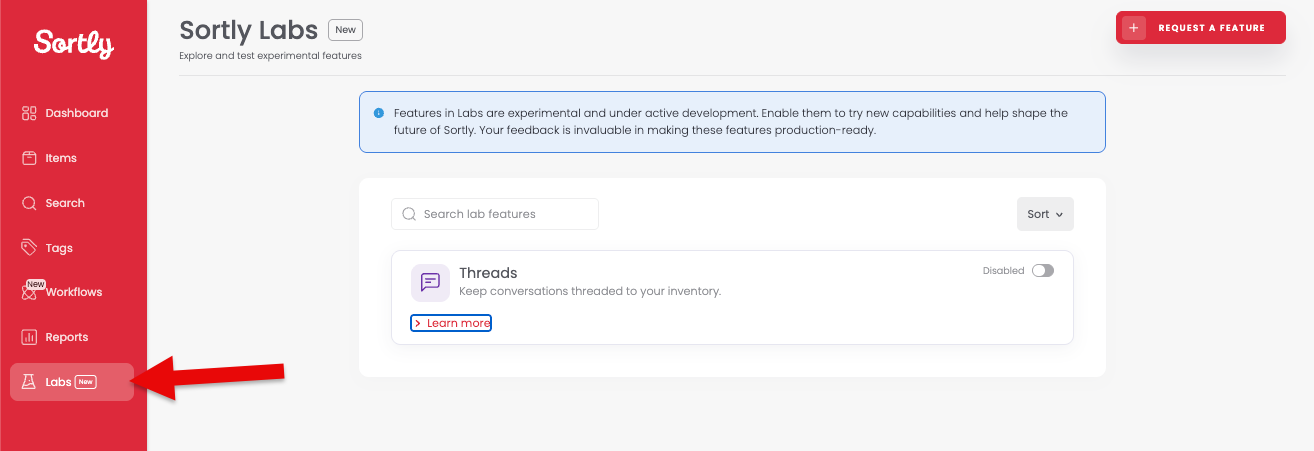
Sortly Labs is where you can discover and try experimental features before they're released to everyone. You'll find Labs in the left menu, marked with a New badge.
Each feature in Labs has its own card with a name, a short description, and a switch that shows Disabled or Enabled. Enabling a feature gives you early access, and your feedback helps our product team decide whether it becomes a permanent part of Sortly. New features are added to Labs over time, so check back to see what's available to try.
Who can enable a Labs feature
Only Owners and Admins can enable or disable a Labs feature. Everyone else can still see and explore the Labs page, but instead of the switch they'll see a way to ask for access.
Plan and trial differences
Labs is included on every paid plan. It isn't available on the Free plan, with one exception explained below. Trial users get the same access as a paid Owner or Admin for as long as the trial is active.
There is one exception. If you were already on the Free plan and already had a Labs feature enabled before this change, you keep it with no interruption. This is a one-time exception. It doesn't apply to trial users, and it won't apply going forward. If you're on the Free plan with a Labs feature already enabled and you disable it, you won't be able to enable it again without upgrading to a paid plan.
Enable or disable a Labs feature
If you're an Owner or Admin on a paid plan, you can enable or disable any Labs feature at any time.
Enable a feature
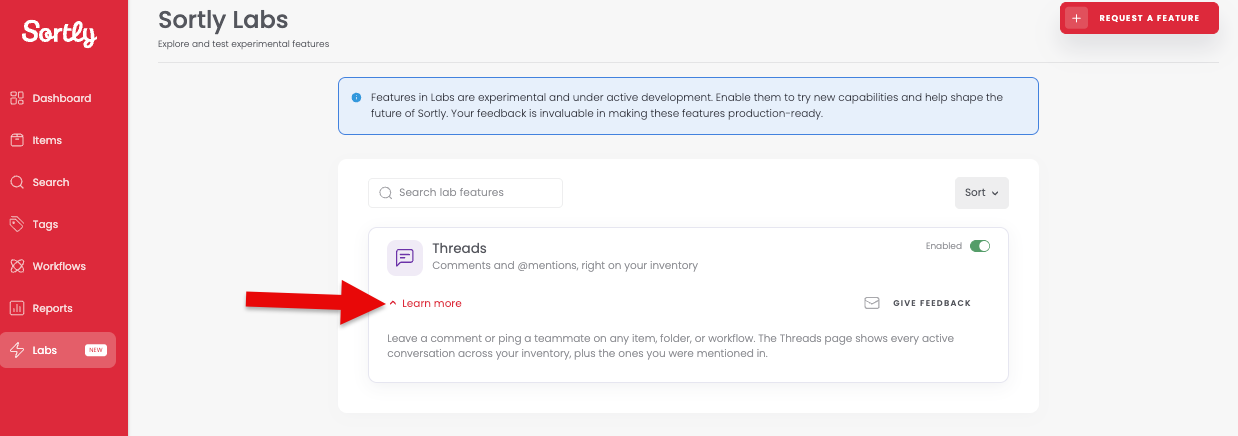

Disable a feature
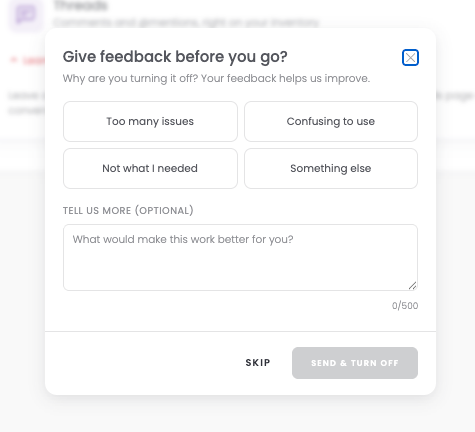
If a team member had requested access to this feature, disabling it resets their request so they can ask again later.
Request access if you aren't an Owner or Admin
Team members, custom roles, and limited access users can still explore Labs and ask their account Owner to enable a feature.
Requests apply company-wide, so only one request is active at a time. You won't get a notification once the feature is enabled, so check back on the Labs page to see it.
Join a waitlist
Each Labs feature has a participant cap. Once that cap is reached, the switch or Request Access button is replaced with Join Waitlist. Joining covers your whole company, and any user of any role can join.
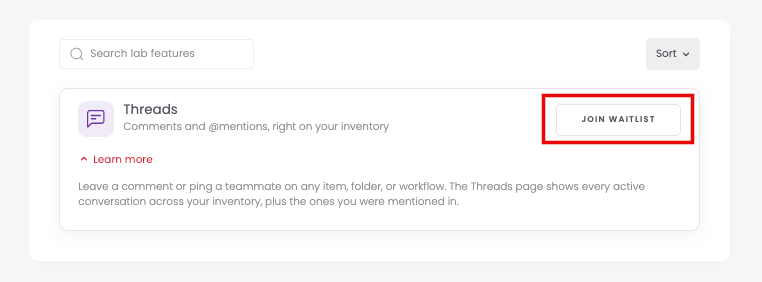
If you're on the Free plan and a feature's waitlist is open, Join Waitlist appears grayed out with a tooltip asking you to upgrade first.
Share feedback or request a feature
Give feedback on a feature
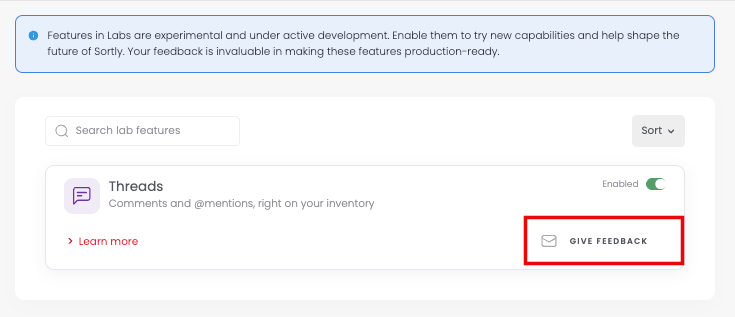
Once a feature is enabled, Give Feedback appears on its card. It opens a short form where you can pick an emoji to show how you feel about the feature and leave an optional comment.
Request a new feature
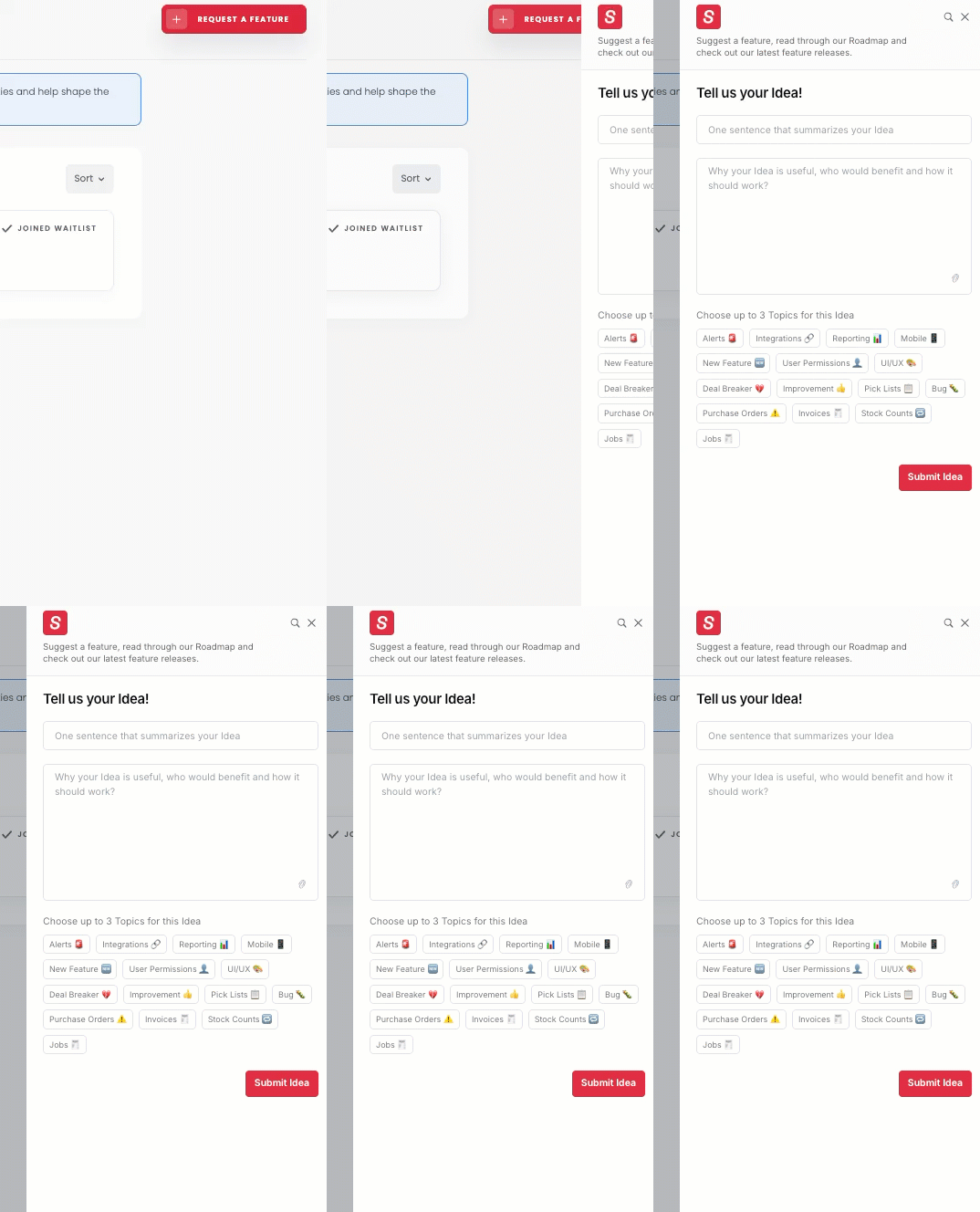
Have an idea for something new? Select Request a Feature at the top of the Labs page. This is open to everyone on any plan, including Free. In the form, describe your idea in one sentence, explain why it's useful and how it should work, choose up to 3 topics, and select Submit Idea.
When a feature becomes fully available
When a feature graduates out of Labs and becomes a standard part of Sortly, we email the account Owner of any company on the waitlist to let them know. Access after that point depends on Sortly's plans at the time, so a feature may only be available on certain plans going forward.