Give your team members the access they need to scan, move, and update inventory, without opening up reports, settings, or item details. Limited Access is a lightweight role for field and warehouse teams, and it's a cost-effective way to extend Sortly to more users while you stay in control of who can do what. This article walks you through who the role suits, what Limited Access users can and can't do, and how to add one.
In this article
Typical users of the Limited Access role
This role suits team members who work with inventory every day but don't need full system access. Examples include technicians, warehouse staff, site managers, and delivery drivers.
These users are often:
- Receiving goods and re-stocking shelves
- Picking or removing items to fulfill an order
- Scanning inventory using barcodes or Bluetooth-enabled devices
- Updating item counts and associating items with jobs, sites, or projects
What Limited Access users can and cannot do
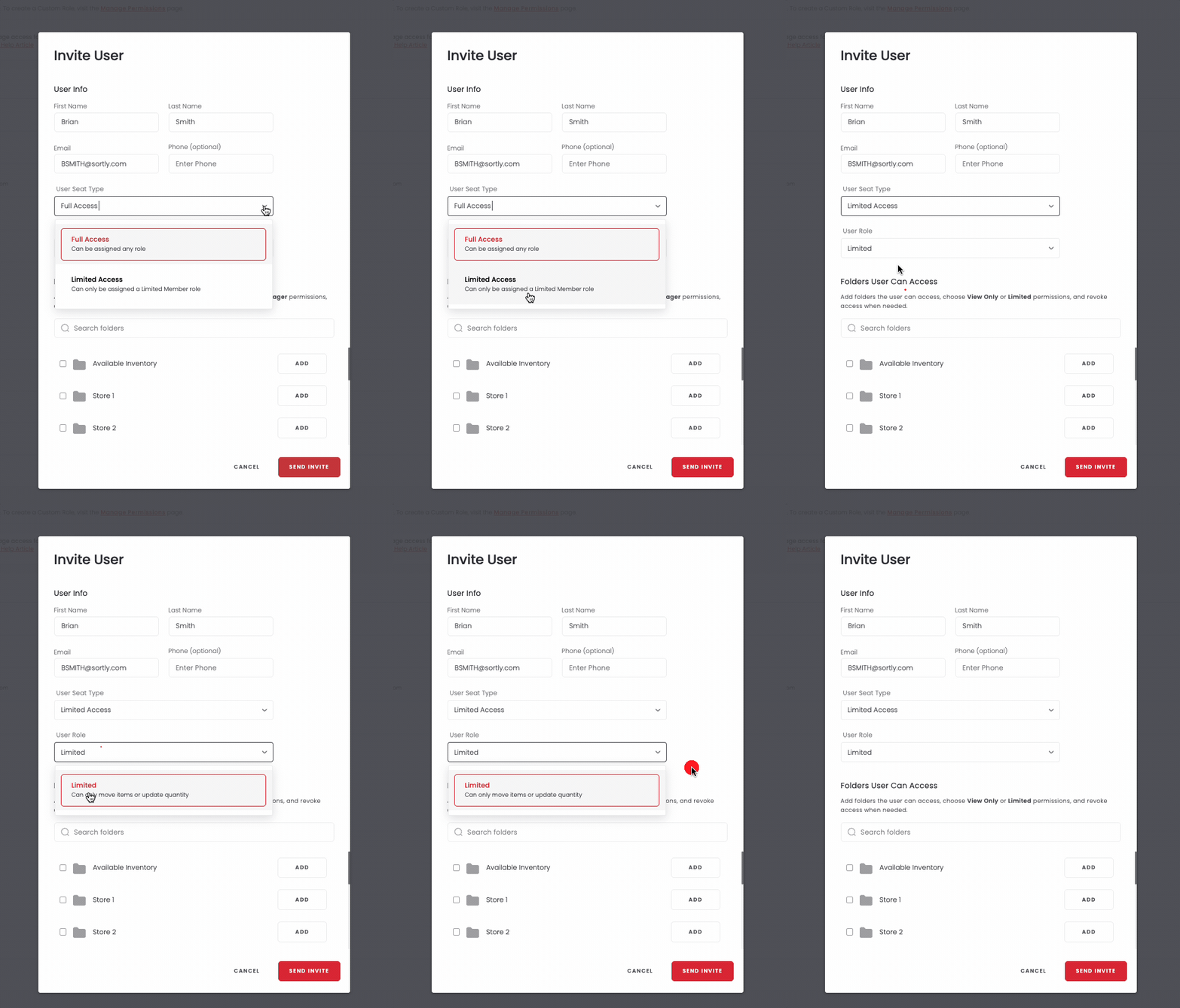
A Limited Access user works with inventory but doesn't manage it. When you invite them, the User Role list shows Limited with the note "Can only move items or update quantity."
Say you invite a delivery driver. They can move items and update quantities, and they can look at saved addresses, but they can't add, edit, or delete those addresses. They also can't open reports, settings, or full item details.
They can also work with Pick Lists, and that doesn't change anything else about what they can do. They can use the web and mobile apps, and they get the same Limited role functions on both.
How to add a Limited Access user
Need to give someone Limited Access? Invite them from the Manage Permissions page.