
If you're trying to downgrade to the Free plan but the option isn't showing up, your account may not meet the Free plan limits.
In this article
Free Plan Limits
To downgrade, your account must meet all of the following requirements:
- Maximum of 100 items
- Only 1 user
- Only 1 custom field (and it cannot be an attachment-type custom field)
If any of these limits are exceeded, the Downgrade button will not appear.
How to Check Your Item Count
-
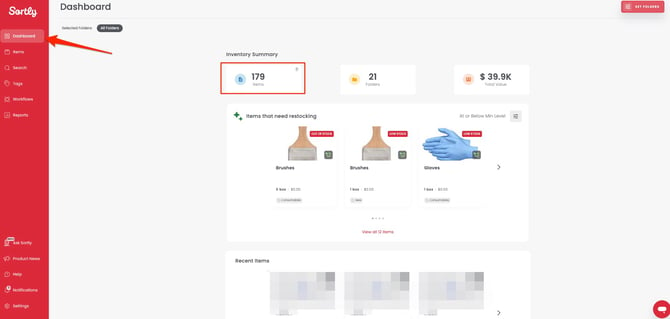
1Check the Dashboard
See how many folders you have from the Dashboard.
-
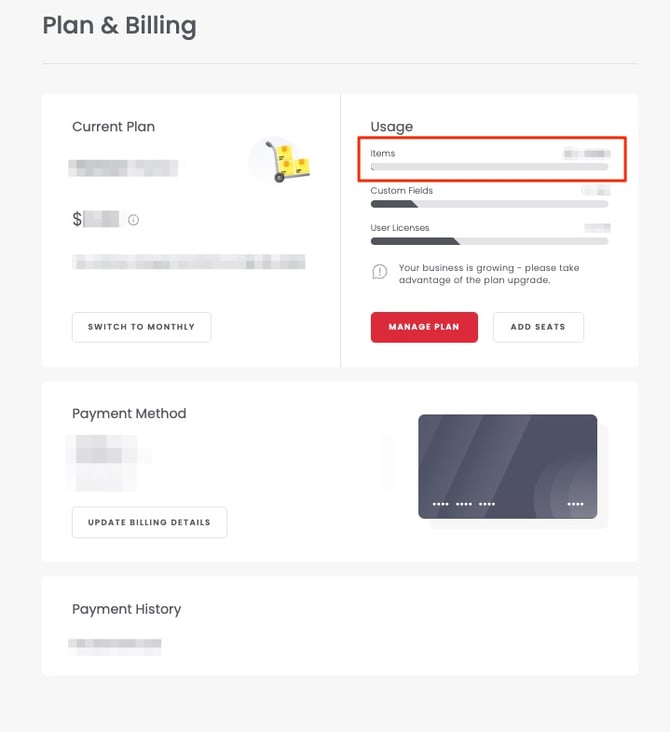
2Check Plan & Billing
See your number of unique items on the Plan & Billing page.
If you need help adjusting your account to meet Free plan limits, reach out to our Support team for help.