
Make sure your non-profit, educational, or other tax-exempt organization isn't charged sales tax on your Sortly subscription. If your organization qualifies, we'll apply your tax-exempt status to your account before your free trial ends and you're charged. This article walks you through sending your documentation and checking whether your last invoice included sales tax.
In this article
Send your tax exemption documentation
Sortly supports many non-profit, educational, and tax-exempt organizations. To get started, send us your tax exemption documentation by contacting our Support Team.
Check your last invoice
You can confirm whether your last invoice was charged sales tax by viewing the full invoice, which includes a pricing breakdown.
1
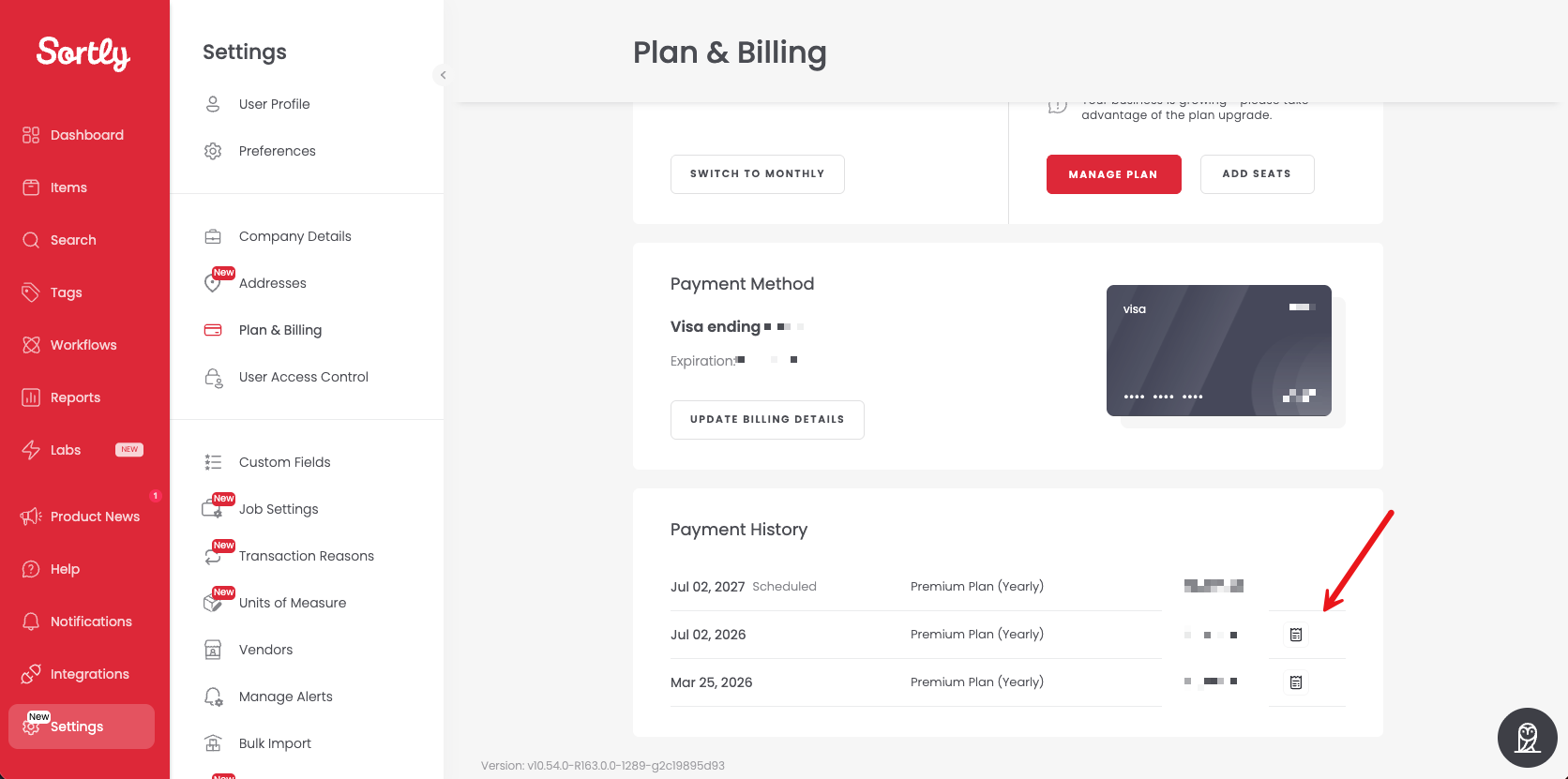
Go to Settings > Plan & Billing.
2
Under Payment History, select the invoice icon at the end of the row for your last payment to open the full invoice.
💡 If your tax-exempt organization was incorrectly charged tax, contact our Support Team and we'll help sort it out.