
If you're managing bulk consumables like paint, flakes, fabric, chemicals, or raw materials, you often only need to know the total amount on hand, not track each individual unit. This method makes that simple.
In this article
When to use this method
Use this when precision at the individual-unit level isn't necessary, just an accurate running total.
Step 1: Create the item
-
1Go to your Sortly inventory
-
2Create a new item
For example, Fabric Roll.
-
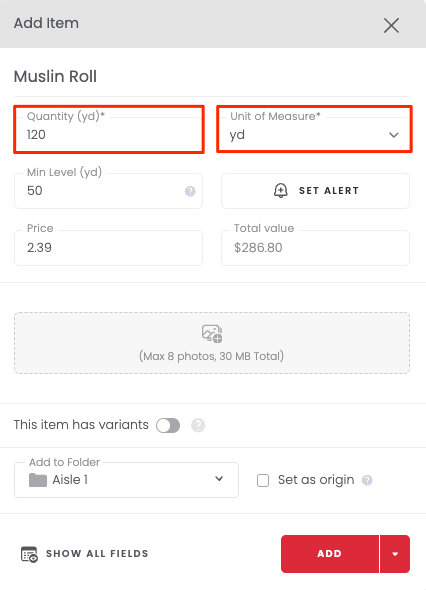
3Set the Unit of Measure
Set Unit of Measure to the unit you track in (pounds, gallons, yards, feet, liters, etc.).
-
4Enter the total quantity available
Example: if you have 12 rolls at 10 yards each, enter 120 yards.
Step 2: Check items out by quantity
When your team uses material for a job:
-
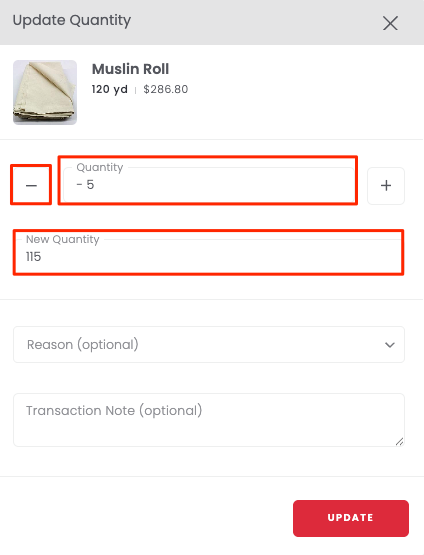
1Subtract the quantity used
For example, -5 yards.
-
2Optionally move that amount
Move it into a job folder or location folder to track usage by project.
-
3Watch the total update automatically
The total quantity in stock will automatically decrease.
Step 3: Monitor and replenish
- Update the total quantity whenever you receive new stock.
- Use reports to track consumption trends.
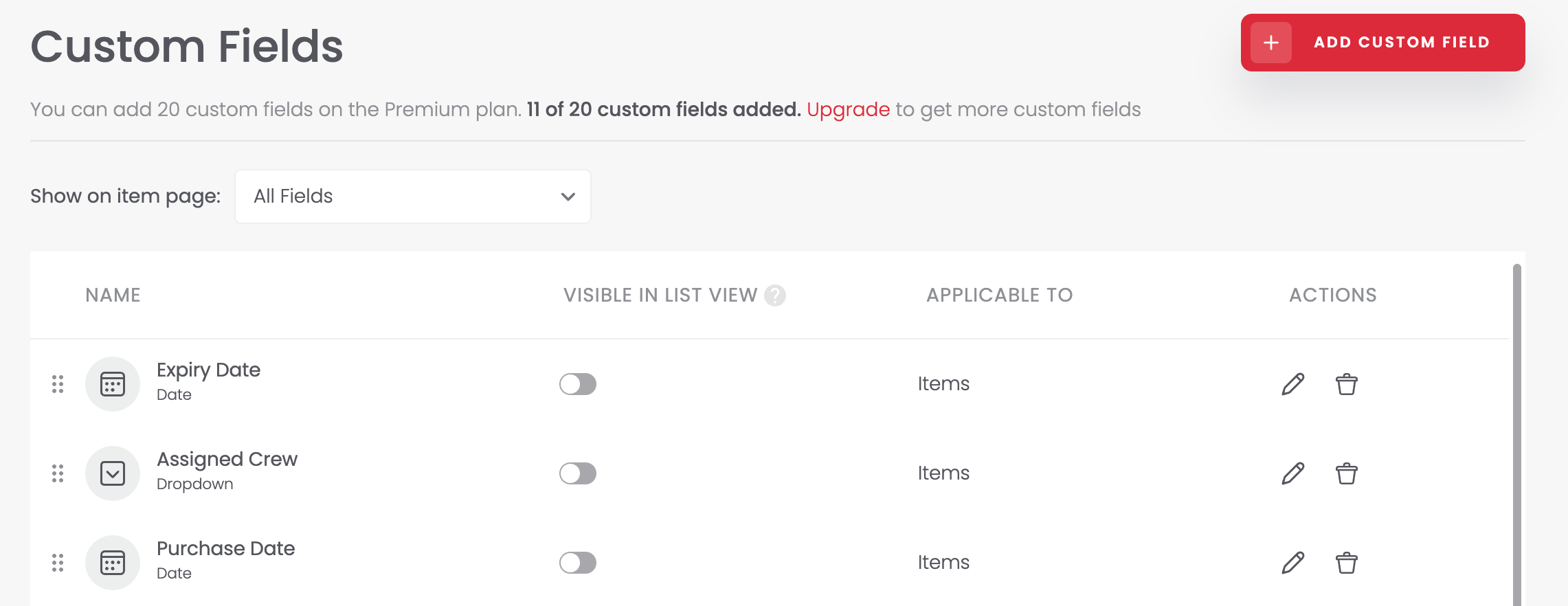
- Optional: add custom fields (e.g. supplier, batch, or purchase date).
Tips & best practices
- Use the smallest unit of measure possible. For example, track individual straws instead of boxes of straws for more accurate stock counts. This gives you flexibility when subtracting smaller amounts.
- Set up low stock alerts so you're notified before you run out and can stay ahead of reordering.
- Move quantities into job/location folders whenever they're used. This makes reporting more accurate at the project level.
Frequently Asked Questions
Questions? Please contact our Support Team.